> ## Documentation Index
> Fetch the complete documentation index at: https://docs.dojah.io/llms.txt
> Use this file to discover all available pages before exploring further.
# EasyDetect Cases
> Review and resolve cases created when events are flagged. See risk score, assignment, status, and full event context.
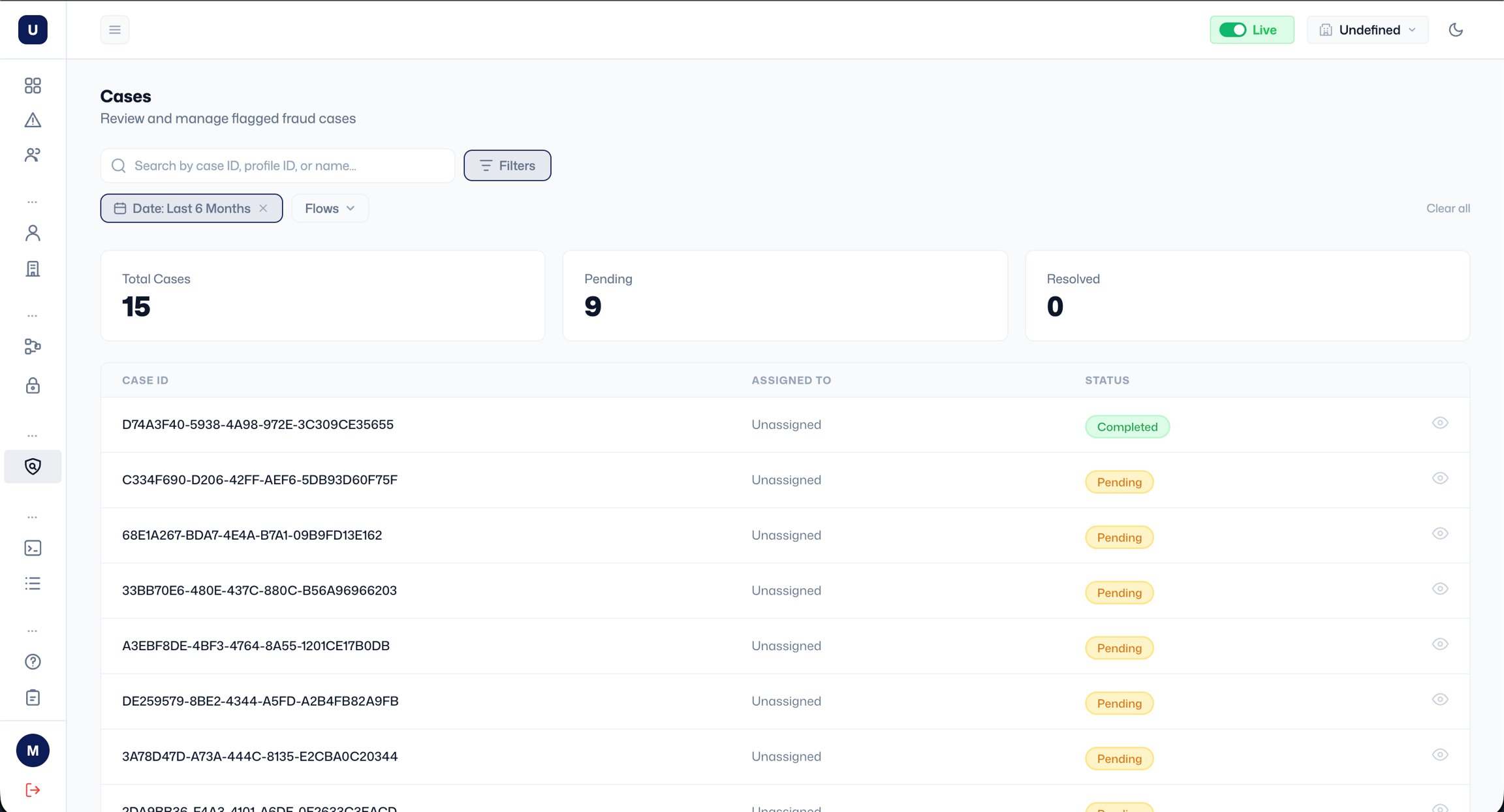
Cases are created when an event is flagged for review. The Cases page shows all cases with their case ID, linked profile ID, risk score, who the case is assigned to, and status (Pending or Resolved). Summary counts at the top show total, pending, and resolved cases.
Search by case ID, profile ID, or name. Use the filter to narrow by status, assignee, or risk level. Use Export to download the list.
***
**Viewing a case**
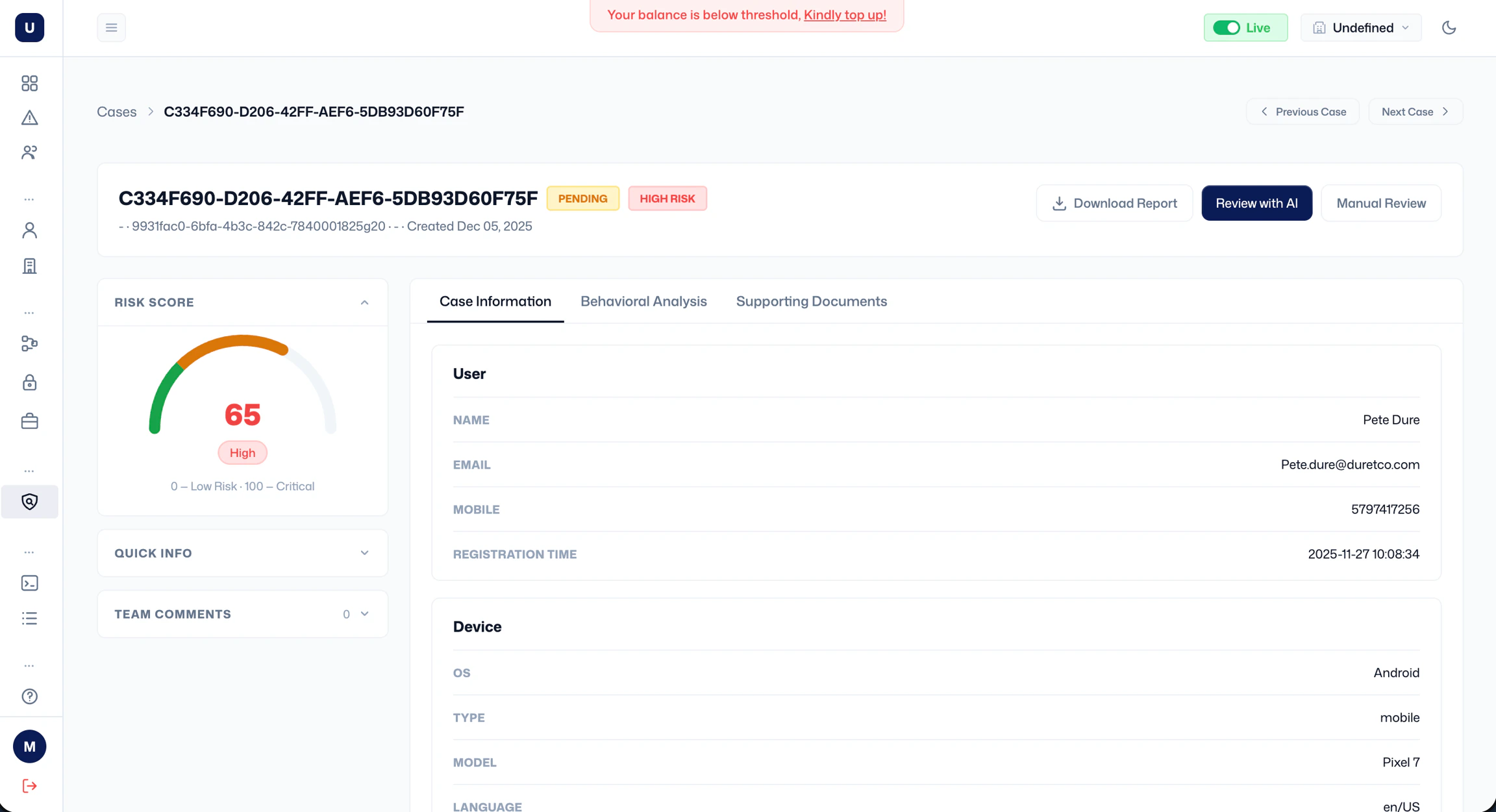
Click the eye icon on any row to open the case detail page. At the top you'll see the case ID, status badge, risk tier badge, the linked profile name and ID, the flow that generated it, and the date it was created. You can navigate between cases using **Previous Case** and **Next Case**.
The left panel shows the following:
* **Risk Score**: a gauge showing the score and tier.
* **Quick Info**: a collapsed summary of key signals (expand to view).
* **Team Comments**: a comment section for teams.
The right panel has three tabs:
* **Case Information**: transaction details (transaction ID, amount, currency, type, channel, and timestamp) and user information.
* **Behavioural Analysis**: behavioural signals associated with the event.
* **Supporting Documents**: any documents attached to the case.
**Resolving a case**
There are two ways to resolve a case:
1. **Review with AI**: launches an AI-assisted review that analyses the case and suggests a decision.
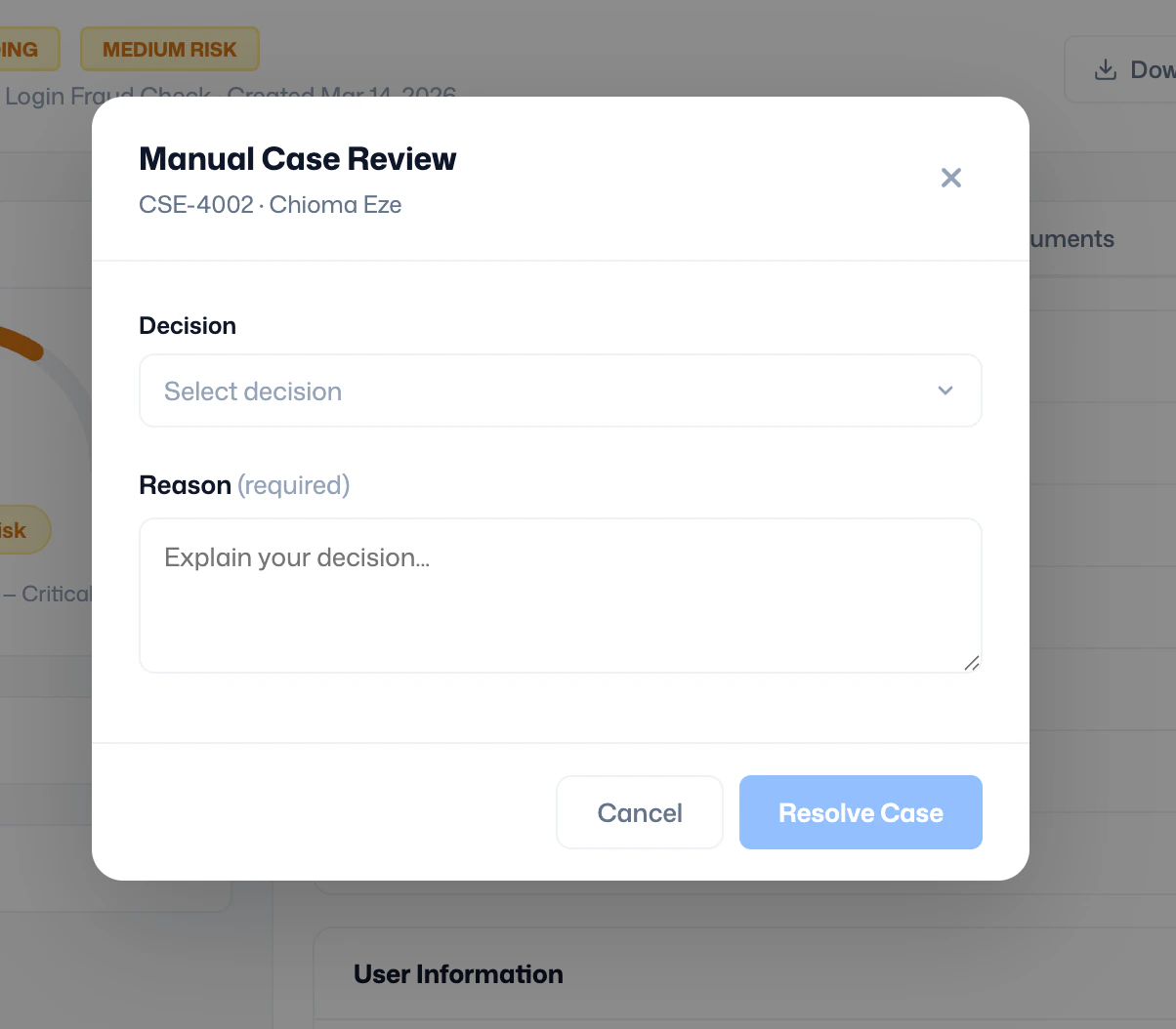
2. **Manual Review**: opens the Manual Case Review modal, where you select a decision (Allow or Block), enter a required reason explaining your decision, and click **Resolve Case**.