> ## Documentation Index
> Fetch the complete documentation index at: https://docs.dojah.io/llms.txt
> Use this file to discover all available pages before exploring further.
# Flows
> Reusable sets of rules applied to a kind of event, built in a visual Rule Builder with score thresholds you control.
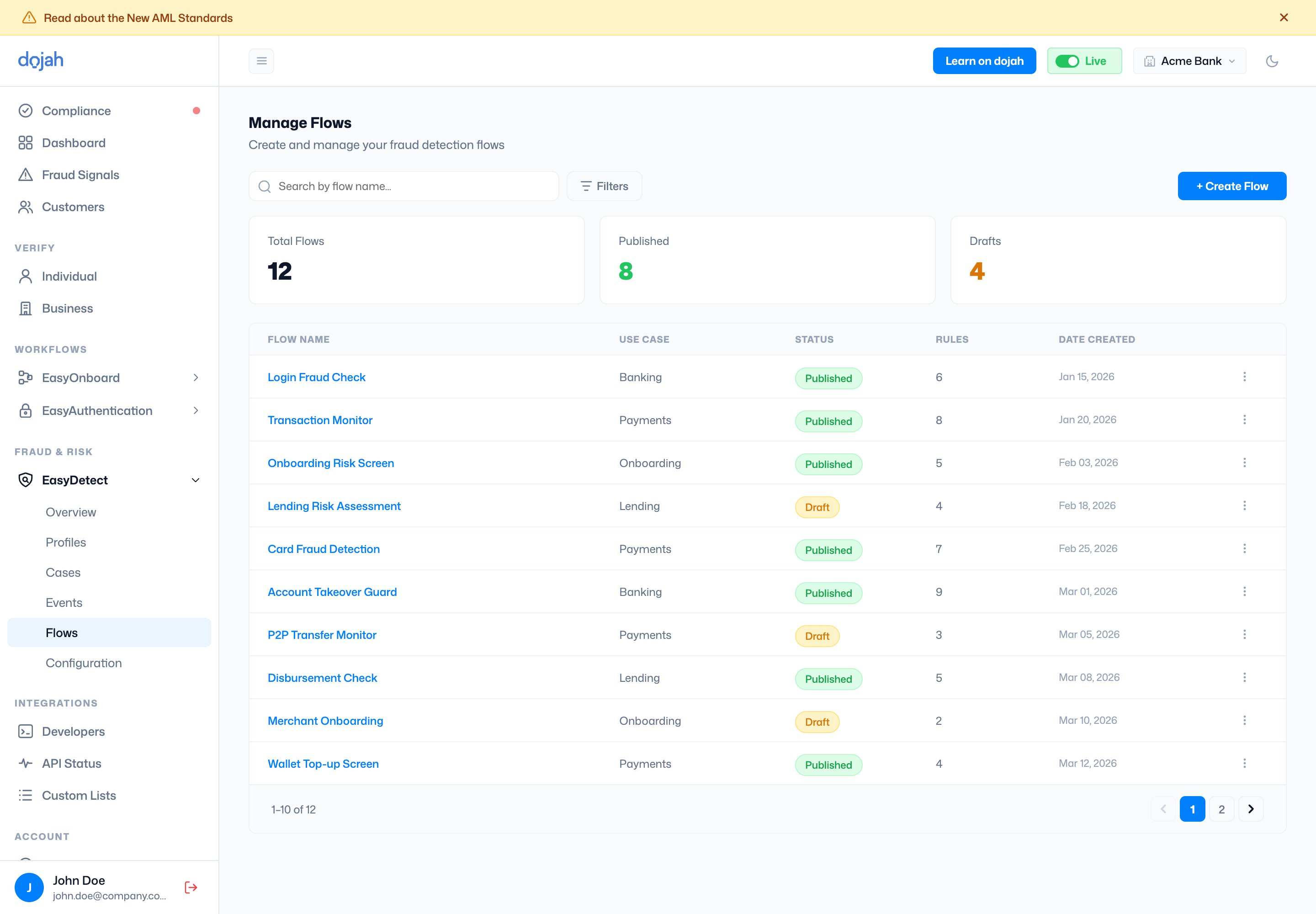
A **flow** is a reusable set of rules applied to a kind of event. Flows are either **Published** (live) or **Draft**. The list shows each flow’s use case, status, rule count, and creation date; **+ Create Flow** starts a new one — from a pre-built **template** or from scratch.
 ## The Rule Builder
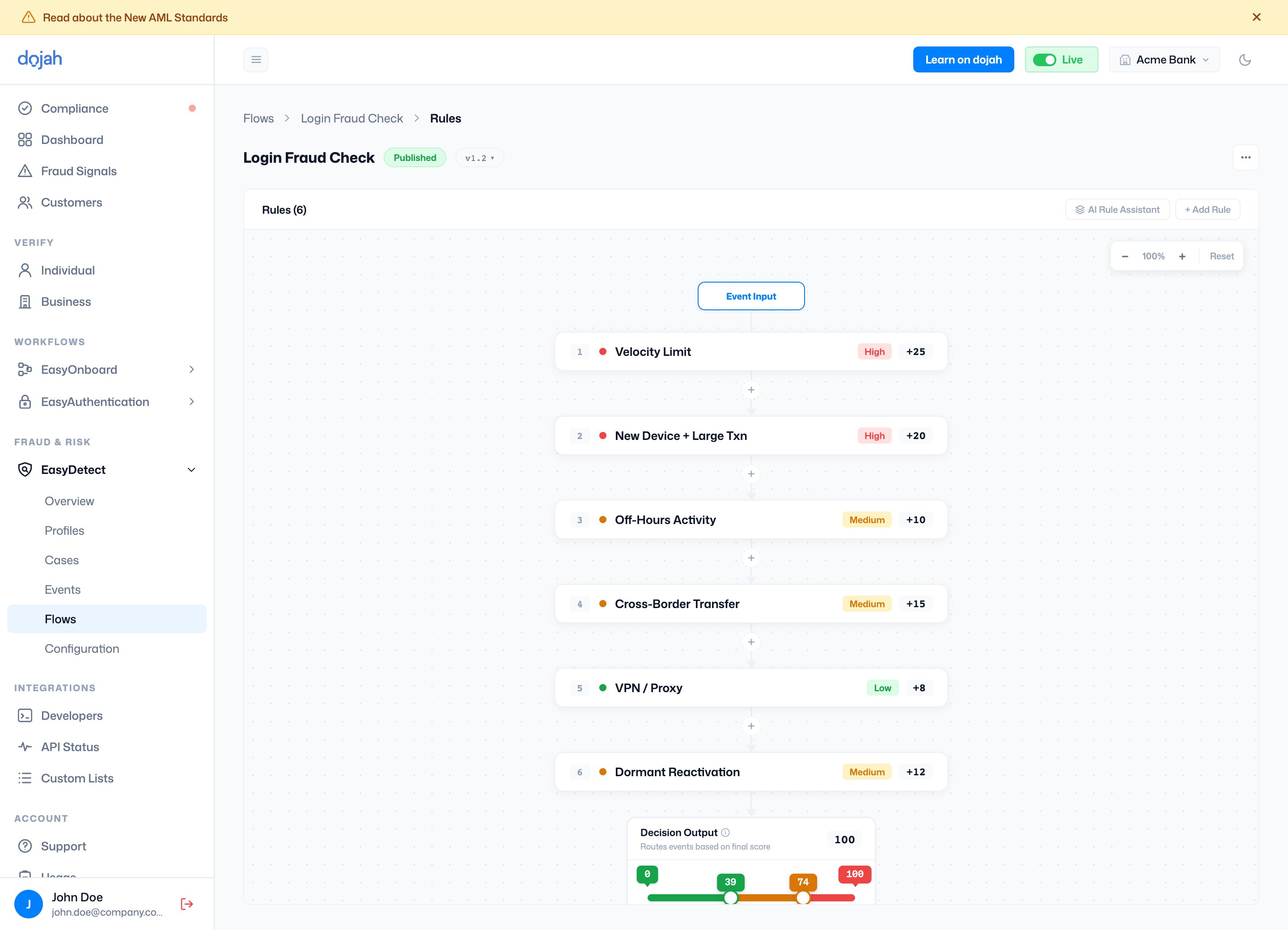
Open a flow and select **Manage Rules** to open the **Rule Builder** — a visual pipeline that runs an incoming event through each rule, adds up a score, then compares it to your decision thresholds.
## The Rule Builder
Open a flow and select **Manage Rules** to open the **Rule Builder** — a visual pipeline that runs an incoming event through each rule, adds up a score, then compares it to your decision thresholds.
 | On a rule | What it means |
| ------------------ | ------------------------------------------------------------------------------------------ |
| Name & Description | What the rule detects, e.g. *Velocity Limit* or *New Device + Large Txn*. |
| Score | Points added to the event’s risk score when the rule triggers. |
| Weight | A multiplier on the score — higher weight means more impact. |
| Type | Severity for filtering and reporting — **High**, **Medium**, or **Low**. |
| Conditions | The field/operator/value tests (grouped with AND / OR) that decide whether the rule fires. |
At the bottom, the **Decision Output** turns the total score into an outcome using a slider — **Allow**, **Review** (flag), and **Block** bands you can drag to make the flow more or less strict. Save your work as a **Draft** and **Publish** it when you’re ready to go live.
**AI Rule Assistant.** Describe what you want to catch in plain language and EasyDetect proposes rules — adding, editing, or removing them. Review each suggestion and accept or reject it before publishing.
| On a rule | What it means |
| ------------------ | ------------------------------------------------------------------------------------------ |
| Name & Description | What the rule detects, e.g. *Velocity Limit* or *New Device + Large Txn*. |
| Score | Points added to the event’s risk score when the rule triggers. |
| Weight | A multiplier on the score — higher weight means more impact. |
| Type | Severity for filtering and reporting — **High**, **Medium**, or **Low**. |
| Conditions | The field/operator/value tests (grouped with AND / OR) that decide whether the rule fires. |
At the bottom, the **Decision Output** turns the total score into an outcome using a slider — **Allow**, **Review** (flag), and **Block** bands you can drag to make the flow more or less strict. Save your work as a **Draft** and **Publish** it when you’re ready to go live.
**AI Rule Assistant.** Describe what you want to catch in plain language and EasyDetect proposes rules — adding, editing, or removing them. Review each suggestion and accept or reject it before publishing.