> ## Documentation Index
> Fetch the complete documentation index at: https://docs.dojah.io/llms.txt
> Use this file to discover all available pages before exploring further.
# Dojah Intelligence
> Network signals — how the identities you verify compare across the wider Dojah network.
Compares the identities you’ve checked against the **Dojah network** to reveal patterns you couldn’t see from your own data alone — an identity used by multiple people, a phone in an account cluster, a face under several IDs.
**Signals are advisory.** Use them to *inform*, not replace, your own checks. Dojah does not auto-reject anyone based on a signal.
 ## Network overview
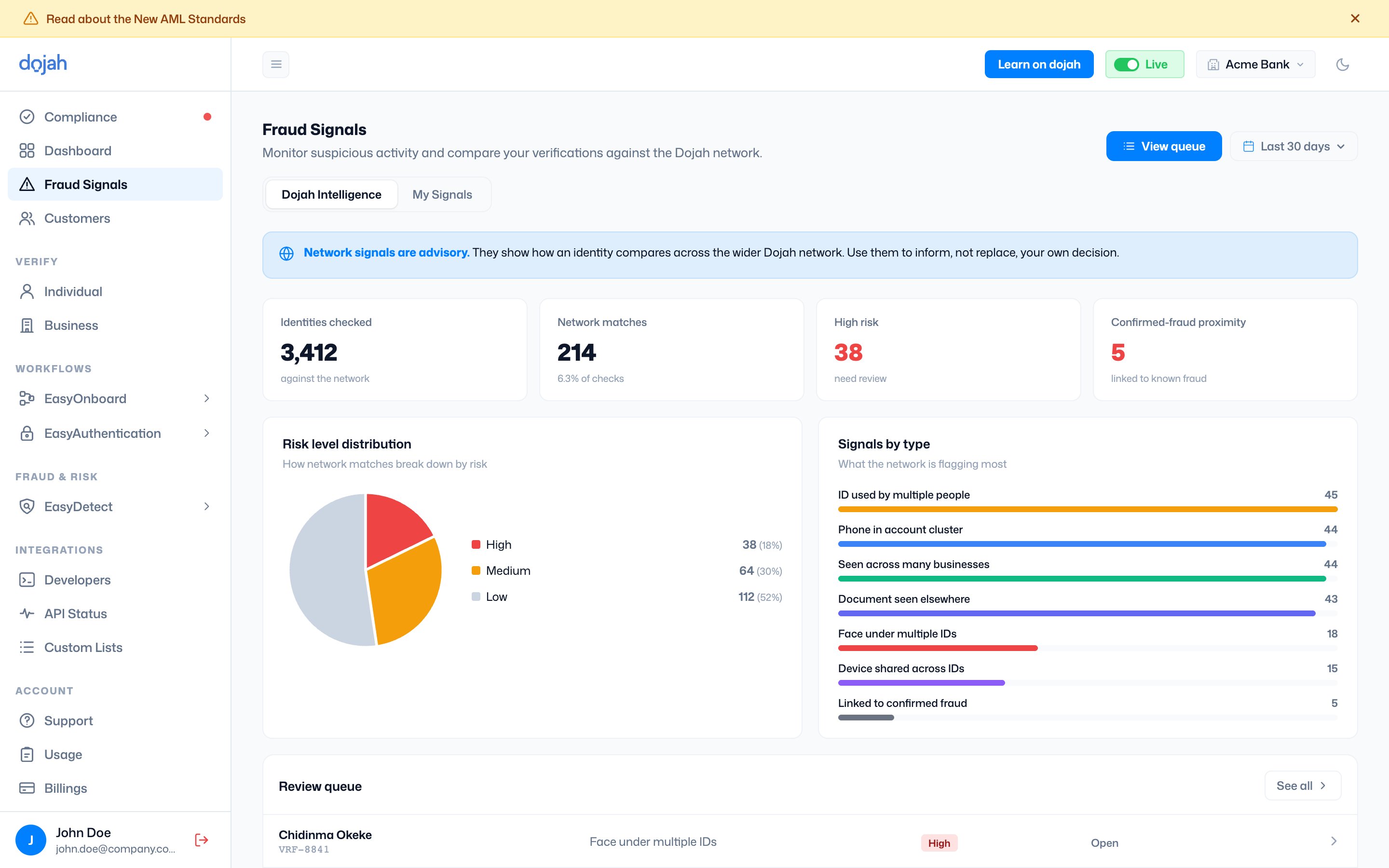
The top of the view summarizes what the network found:
| Metric | What it shows |
| ------------------------- | --------------------------------------------------------------------- |
| Identities checked | How many of your verifications were compared against the network. |
| Network matches | How many matched something in the network (with the share of checks). |
| High-risk | Matches that warrant review. |
| Confirmed-fraud proximity | Identities linked to known fraud. |
Below that, **Risk level distribution** breaks matches into High, Medium, and Low, and **Signals by type** shows what the network is flagging most — for example *ID used by multiple people*, *Phone in account cluster*, *Document seen elsewhere*, *Face under multiple IDs*, and *Linked to confirmed fraud*.
## Review queue
The actionable list — identities flagged by the network, ready for you to look at. Search by name, ID, or signal, and filter by **Risk**, **Signal**, **Status**, or date.
## Network overview
The top of the view summarizes what the network found:
| Metric | What it shows |
| ------------------------- | --------------------------------------------------------------------- |
| Identities checked | How many of your verifications were compared against the network. |
| Network matches | How many matched something in the network (with the share of checks). |
| High-risk | Matches that warrant review. |
| Confirmed-fraud proximity | Identities linked to known fraud. |
Below that, **Risk level distribution** breaks matches into High, Medium, and Low, and **Signals by type** shows what the network is flagging most — for example *ID used by multiple people*, *Phone in account cluster*, *Document seen elsewhere*, *Face under multiple IDs*, and *Linked to confirmed fraud*.
## Review queue
The actionable list — identities flagged by the network, ready for you to look at. Search by name, ID, or signal, and filter by **Risk**, **Signal**, **Status**, or date.
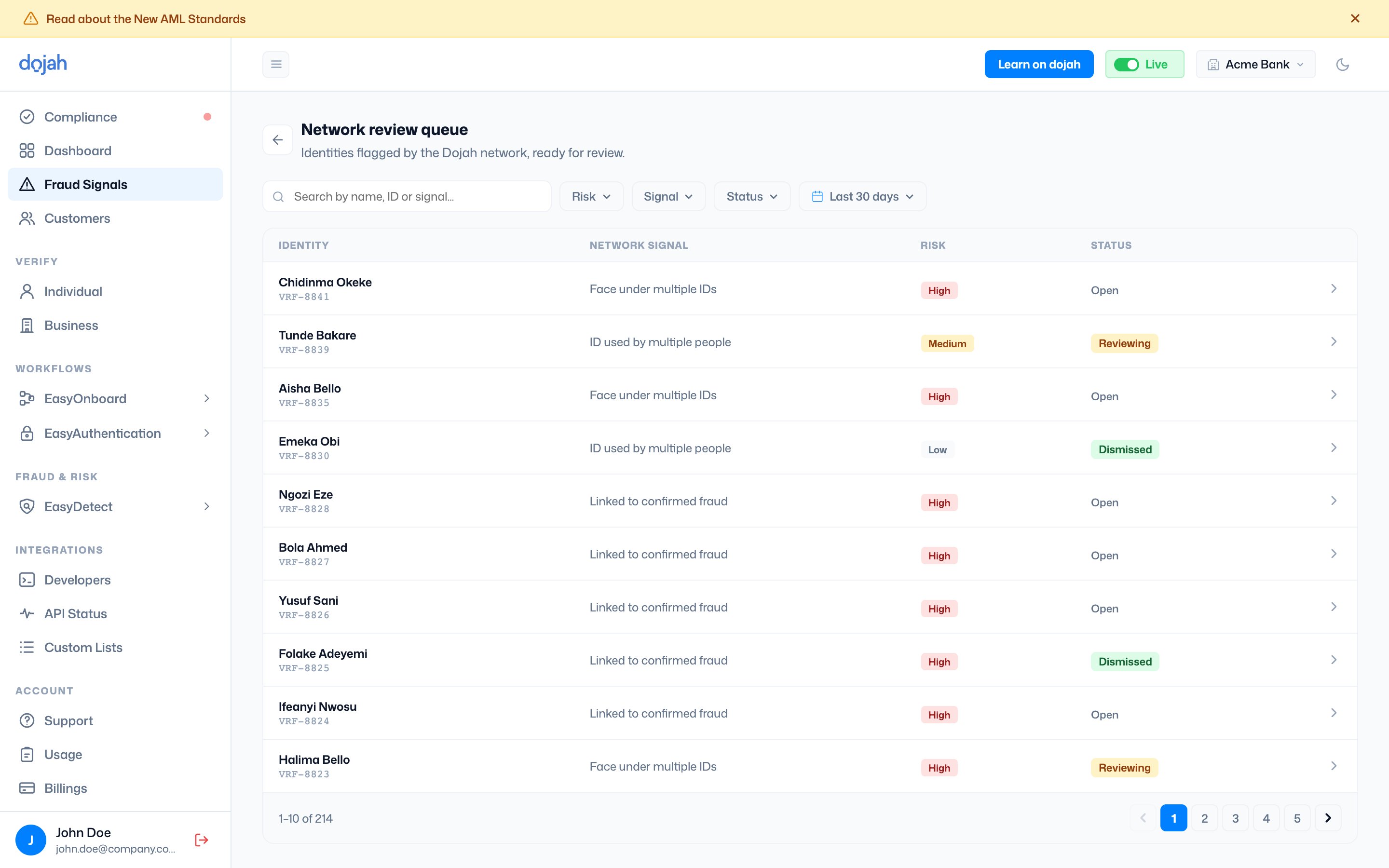 | Status | What it means |
| --------- | --------------------- |
| Open | Not yet reviewed. |
| Reviewing | Being looked into. |
| Dismissed | Reviewed and cleared. |
Opening an item lets you record your own decision — **confirm fraud** or dismiss it. Confirming captures *your* judgement; the network signal stays advisory, so nothing is rejected automatically.
| Status | What it means |
| --------- | --------------------- |
| Open | Not yet reviewed. |
| Reviewing | Being looked into. |
| Dismissed | Reviewed and cleared. |
Opening an item lets you record your own decision — **confirm fraud** or dismiss it. Confirming captures *your* judgement; the network signal stays advisory, so nothing is rejected automatically.