> ## Documentation Index
> Fetch the complete documentation index at: https://docs.dojah.io/llms.txt
> Use this file to discover all available pages before exploring further.
# API Keys
> From the dashboard, you can view and regenerate API keys.
**REQUEST HEADER**
Every request header is authorized using your API key.
This is the ***Private Key*** for either sandbox or live environments in the My Apps section of the dashboard.
Your request header should look like:
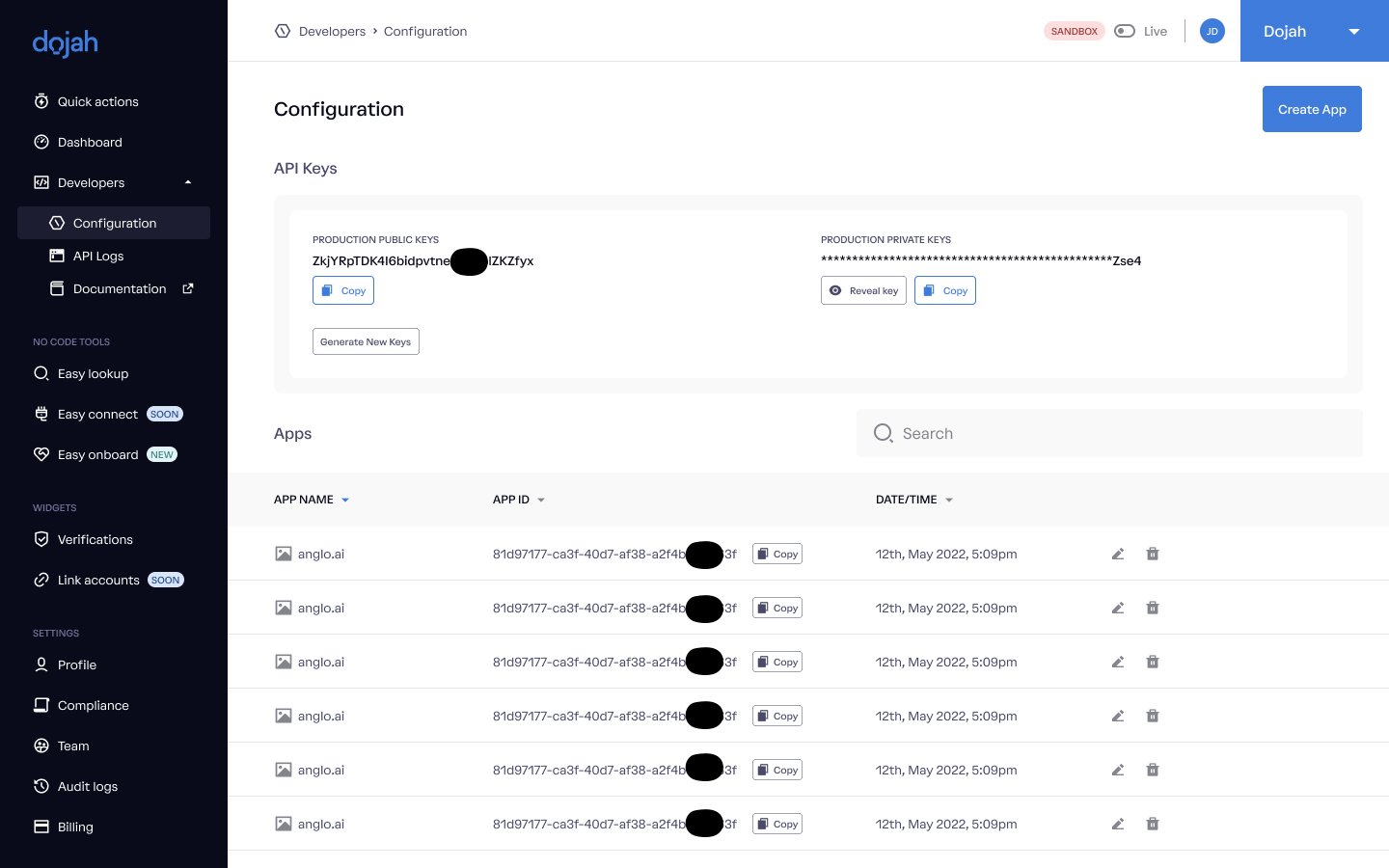 API Keys
**BASE URL**
All API requests made **must** include a base URL. Below are the base URLs for each environment.
SANDBOX ==> [https://sandbox.dojah.io](https://sandbox.dojah.io/)
PRODUCTION ==> [https://api.dojah.io](https://api.dojah.io/)
## 📘 Note:
To ensure successful responses:
1. You must have created an app.
2. You must ensure all requests are made using "HTTPS".
Also, **Do not share your Secret key with anyone**
API Keys
**BASE URL**
All API requests made **must** include a base URL. Below are the base URLs for each environment.
SANDBOX ==> [https://sandbox.dojah.io](https://sandbox.dojah.io/)
PRODUCTION ==> [https://api.dojah.io](https://api.dojah.io/)
## 📘 Note:
To ensure successful responses:
1. You must have created an app.
2. You must ensure all requests are made using "HTTPS".
Also, **Do not share your Secret key with anyone**