2026
Aug
We are excited to share a few updates added to the dashboard to enhance experiences on the Dojah platform.
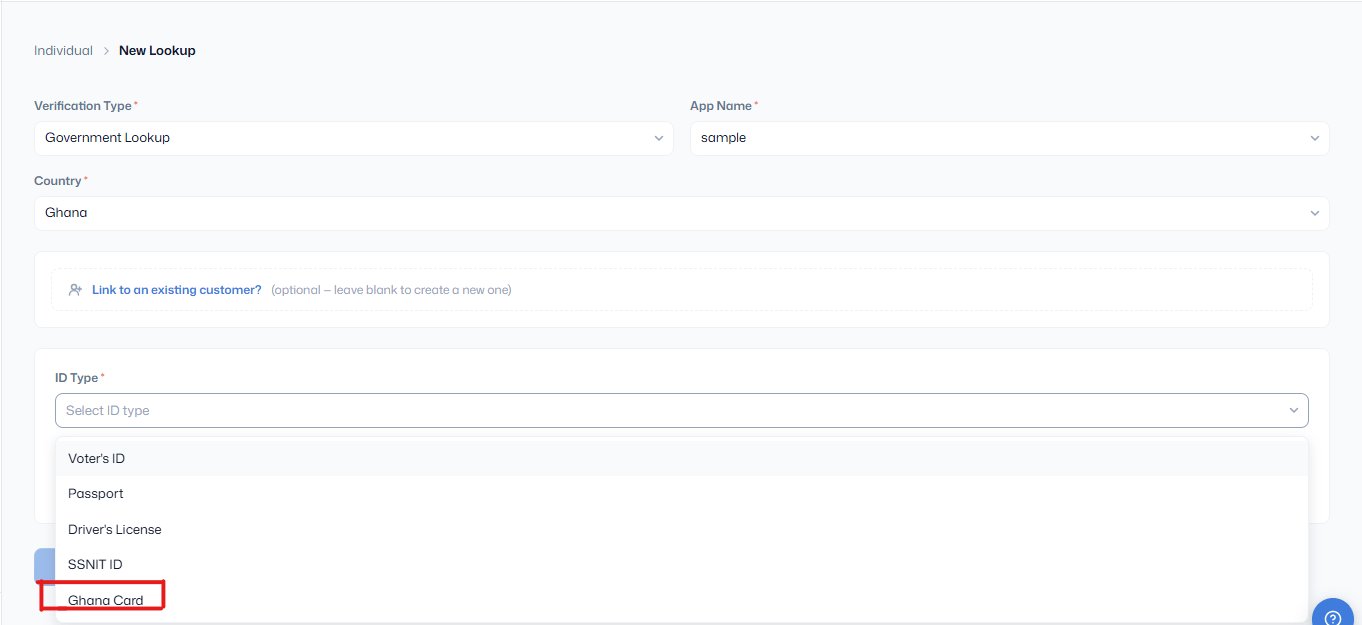
We’ve added the Ghana Card as a supported identity document for individual verification on Dojah.
Businesses can now use the Ghana Card to verify the identity of individuals in Ghana, expanding Dojah’s verification coverage and providing more flexibility for customer onboarding across different markets.
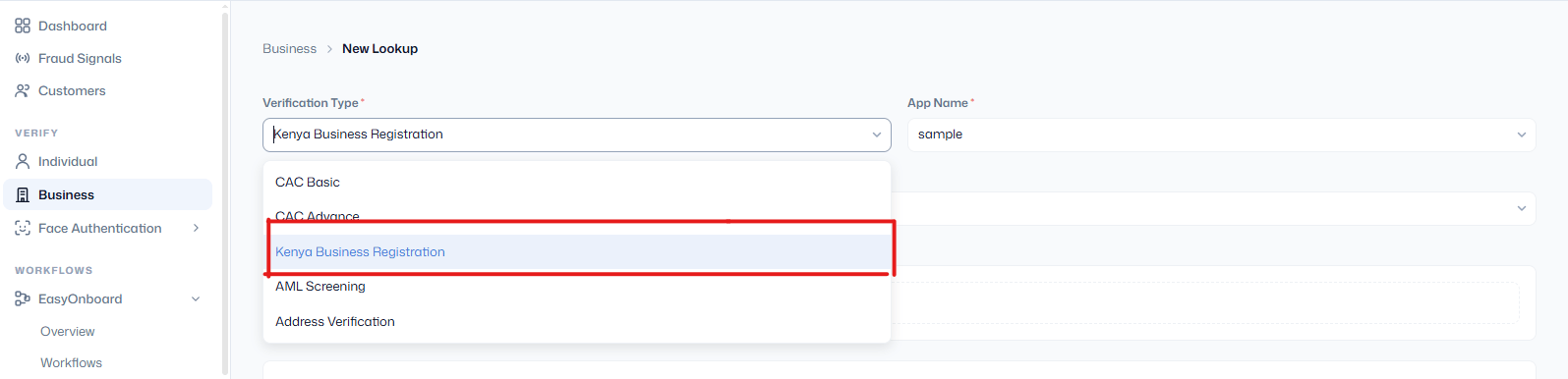
We’ve expanded Dojah’s business verification capabilities to support Kenyan businesses.
Businesses operating in Kenya can now submit their business registration details for verification through Dojah, making it easier for organizations to onboard and verify Kenyan businesses as part of their KYC/KYB processes.
This expansion strengthens Dojah’s regional coverage and provides customers with more options for verifying businesses across different markets.
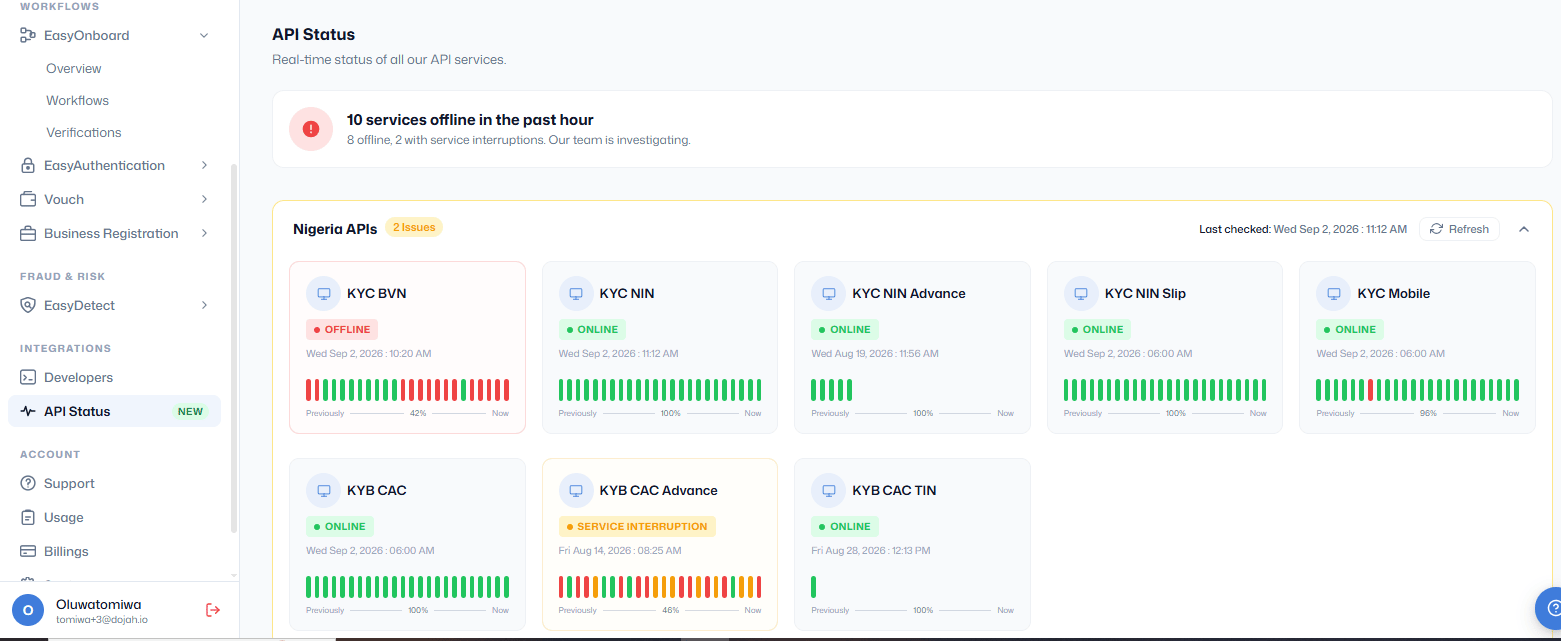
We’ve introduced API Status, a new feature that gives users real-time visibility into the availability of Dojah’s API services.
Users can now quickly check the status of the different API services they rely on and identify which services are available, experiencing issues, or down. This provides greater transparency into service availability and helps users quickly determine whether an issue is related to a specific Dojah service before troubleshooting their integration.
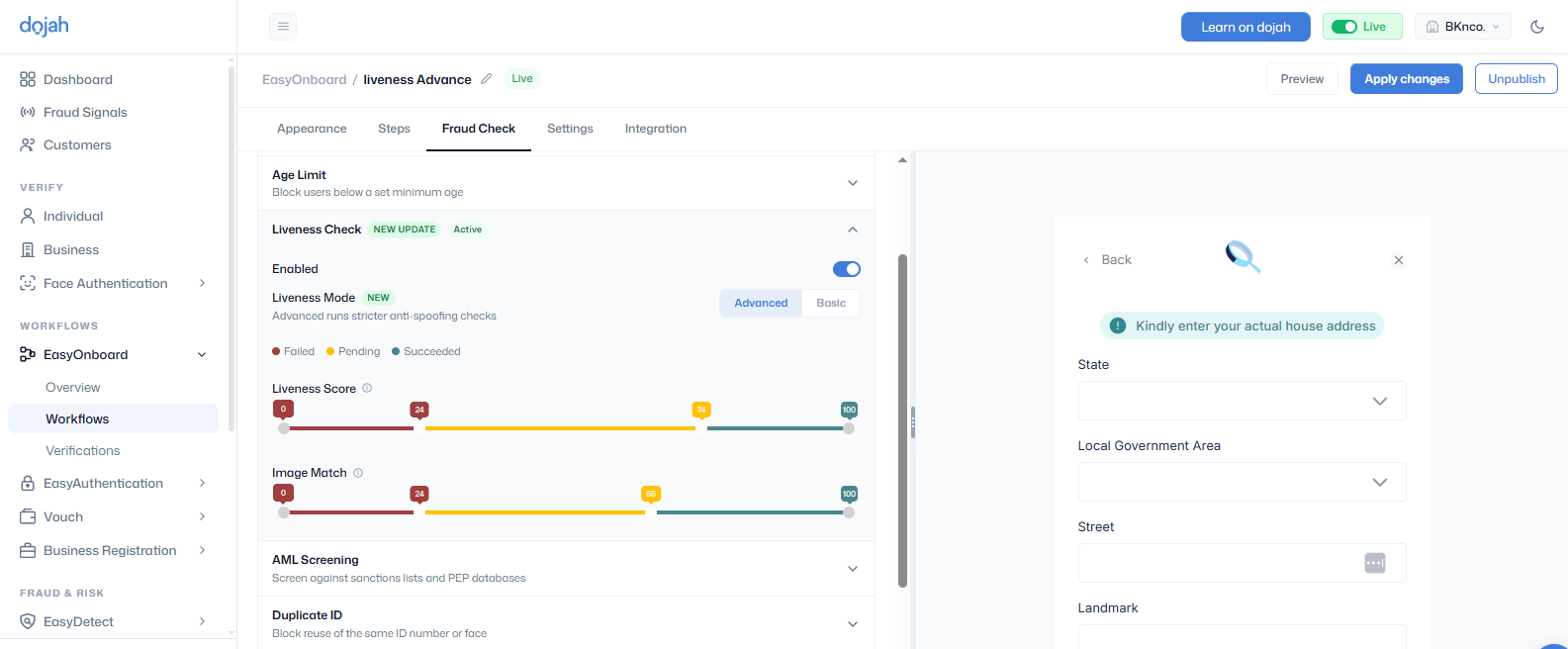
We’ve introduced new Liveness options under the EasyOnboard workflow Fraud Check tab, giving businesses more flexibility in choosing the level of biometric verification required for their use case.
The new options include:
- Liveness Basic – Provides essential liveness detection to confirm that the user is a real person and not a spoofed or manipulated image.
- Liveness Advanced – Provides enhanced liveness checks for use cases that require a higher level of protection against sophisticated spoofing and presentation attacks.
These additions give businesses greater control over their fraud prevention strategy while helping strengthen identity verification and protect against impersonation and fraudulent attempts.
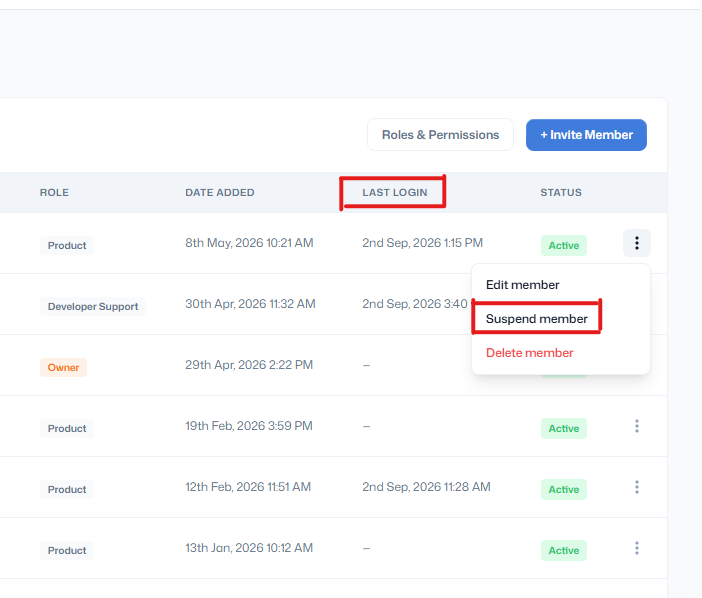
We’ve enhanced the Teams module with new user management and visibility features.
- Suspend Users: Admins can now suspend team members when access to the account needs to be temporarily restricted.
- Last Login Visibility: Admins can now view the last login date and time of each team member, making it easier to monitor account activity and identify inactive users.
These improvements provide better control over team access and greater visibility into user activity.
We’ve added learning videos to the Dojah website to help users better understand and navigate our products and features.
The videos provide step-by-step guidance on how to use key Dojah features, making it easier for new and existing users to get started, understand available functionality, and make the most of the platform.
Learn how to navigate Dojah features at Dojah Learning.
Jul
We are excited to share a few updates added to the dashboard to enhance experiences on the Dojah platform.
We’ve added dedicated Refresh buttons to the most frequently used tables across the application.
This enhancement allows users to refresh individual tables without reloading the entire page, making it faster and more convenient to view the latest data while improving the overall user experience.
The refresh buttons are present on the
- Verify Individual table
- Verify Business table
- EasyOnboard Verification table
- EasyDetect Profiles table
- EasyDetect Cases table
- EasyDetect Events table
- API Usage table

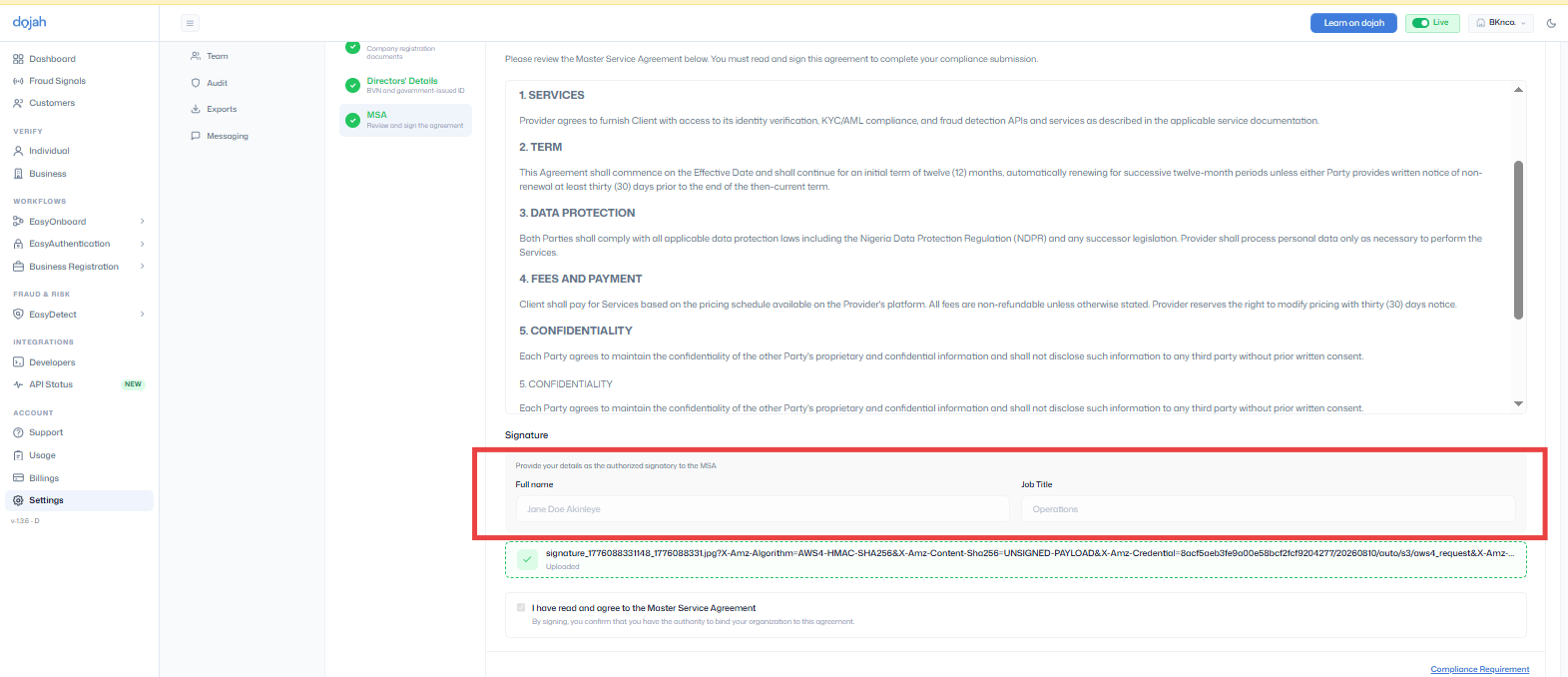
We’ve enhanced the compliance flow to capture the name and job title of the authorized signatory directly from the Master Service Agreement (MSA).
This enhancement ensures the details of the individual who signed the agreement are recorded, improving compliance records, auditability, and documentation accuracy.
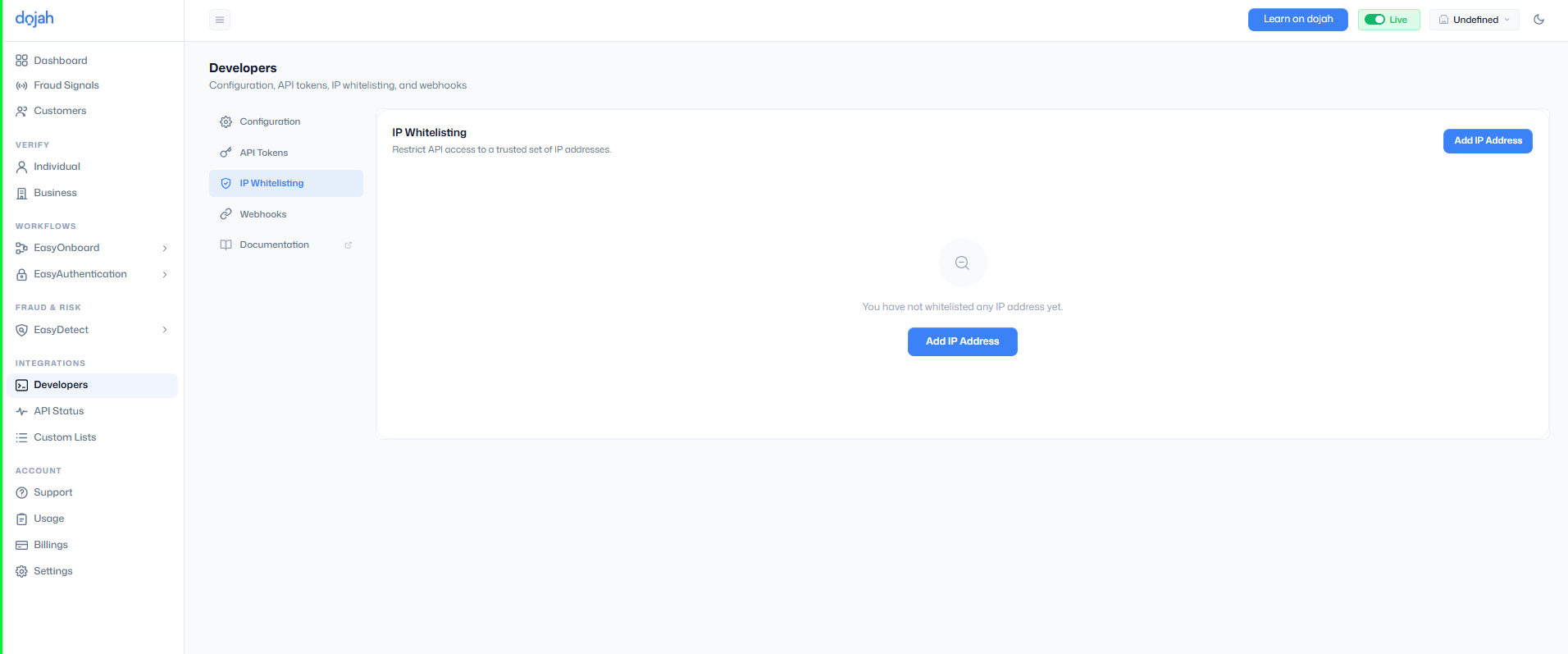
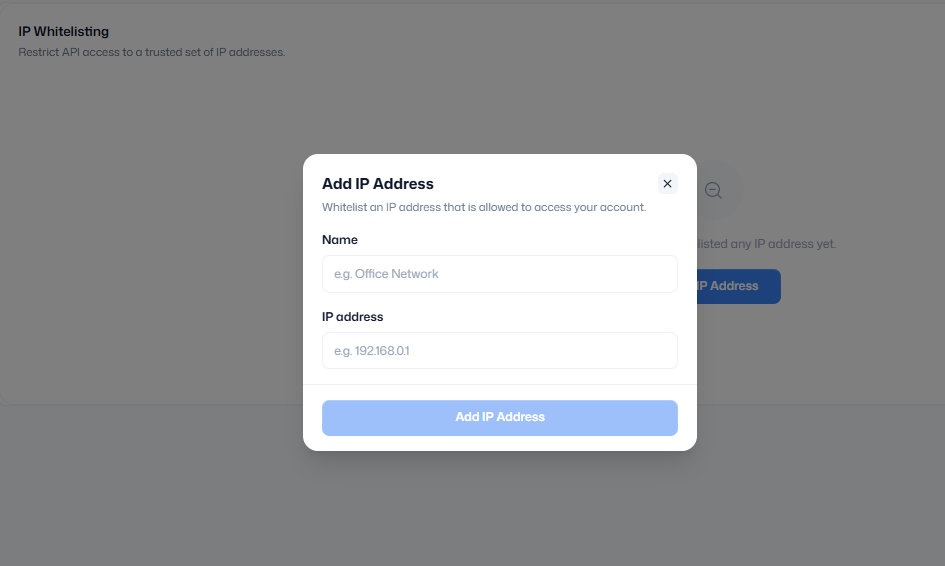
Developers can now secure their Dojah integrations with IP Whitelisting. This feature allows teams to define a trusted list of IP addresses that are permitted to access their APIs.
By restricting API requests to approved servers or networks, organizations can prevent unauthorized access, strengthen production security, and reduce the risk of compromised API credentials being used from untrusted environments. IP Whitelisting is available from the Developers section of the dashboard and can be updated as your infrastructure evolves.
How to Add an IP Address to the Whitelist
- From the side menu, navigate to Developers.
- Click Developers to open the developer tab.
- Select the IP Whitelist tab from the available options.
- Click Add IP Address.
- Enter a name for the IP address in the Name field.
- Enter the IP address you want to whitelist in the Address field.
- Click on “Add IP Address” to save the IP address to your whitelist.
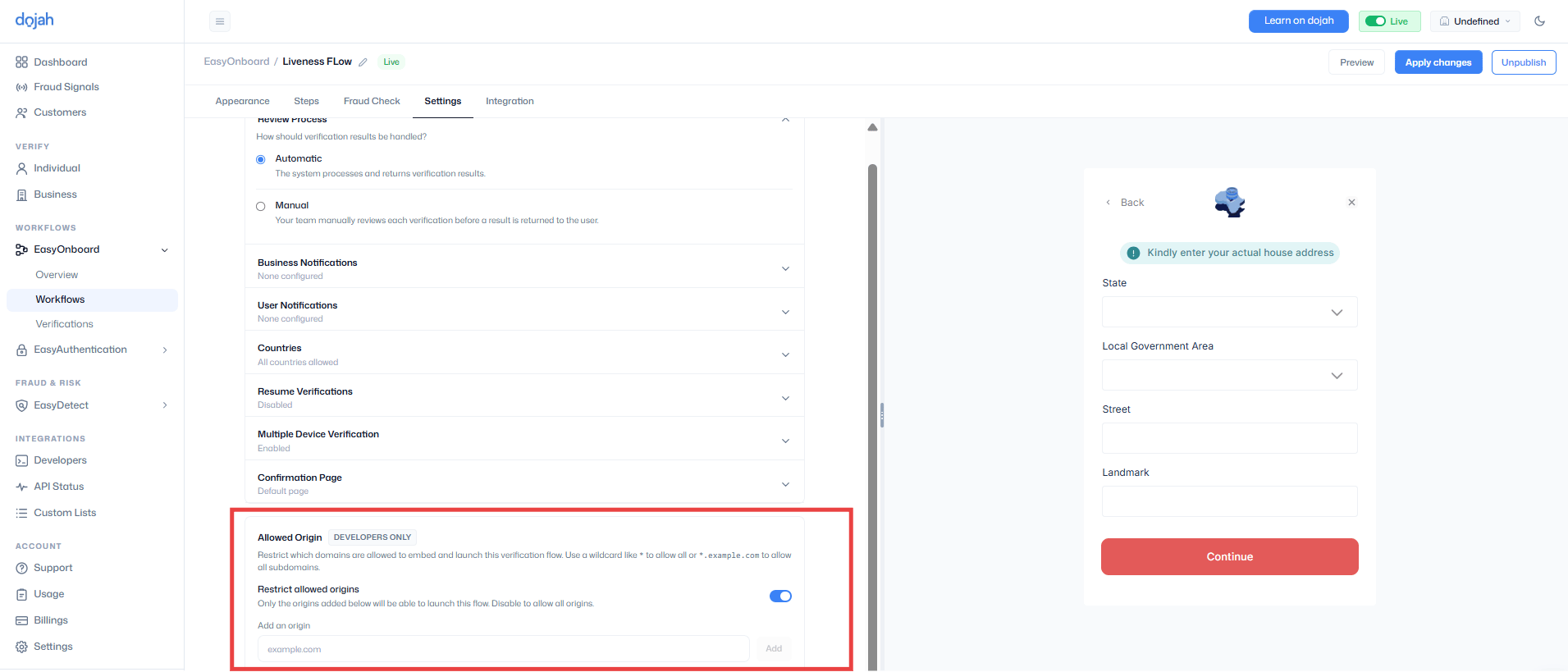
We’ve introduced an Allowed Origins setting for verification widgets, giving developers greater control over where their verification flows can be embedded and launched.
When enabled, only approved domains can access the widget, helping prevent unauthorized usage, strengthen security, and ensure verification flows are only available on trusted websites. This setting also supports wildcard domains for organizations managing multiple subdomains.
How to Configure Allowed Origins
- Navigate to EasyOnboard from the side menu.
- Create a flow and navigate to the settings tab of the flow
- Scroll to the Allowed Origin section.
- Toggle on the Restrict allowed origins to limit access to specific domains.
- In the Add an origin field, enter the domain you want to allow.
- Example:
example.com
- Example:
- Click Add to add the domain to the allowed list.
- Repeat the process to add additional domains if needed.
- To allow verification flows to launch from any domain, disable Restrict allowed origins.
Jun
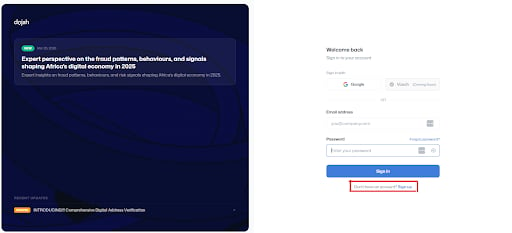
A new sign-up option on the login page lets users create an account faster. The Compliance module adds Company Type and Job Title fields plus a Compliance Requirements modal, EasyOnboard gains Region & City distribution analytics, liveness checks can now use the device’s back camera for assisted onboarding, and a new in-app Dojah Learning hub offers guides and tutorials. Usage analytics can be exported to PDF, alongside customer-table, CAC, and government-lookup navigation fixes.
May
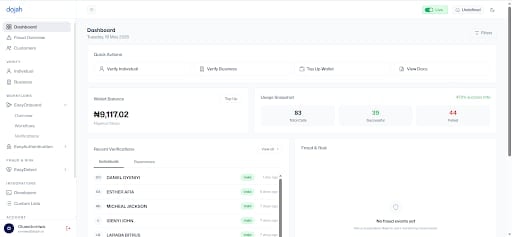
A redesigned UserApp brings a cleaner interface, simplified navigation, and verification services consolidated under “Individual and Business Verify.” The EasyOnboard workflow moved from an accordion to a tab-based design with customizable fonts and button radius, a new Compliance feature centralizes onboarding processes, and light/dark mode now ships with an in-app toggle.
Apr
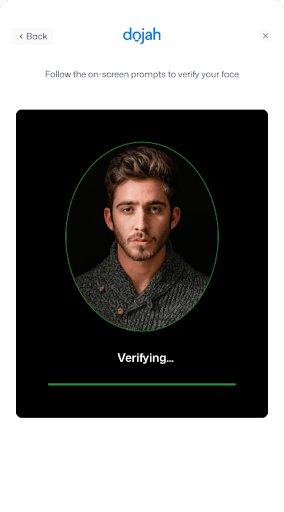
An upgraded liveness detection engine improves real-time accuracy in confirming live captures and reduces spoofing and AI-generated image attacks. Users complete real-time actions — positioning the face in the oval frame, blinking, smiling, opening the mouth, and turning the head — with better stability and faster response times.
Mar
Fixed navigation issues on the dashboard, resolved UI inconsistencies, and corrected error handling for failed verifications to provide clearer user feedback.
Feb
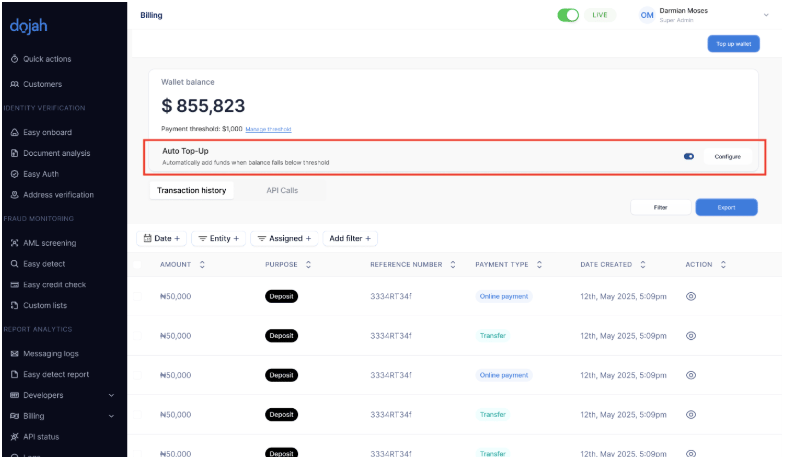
Auto Top-Up automatically replenishes your wallet when the balance drops below a configurable threshold, preventing service interruptions. Dojah AI Support adds an in-dashboard assistant for instant answers to feature questions, documentation guidance, and troubleshooting — with the option to escalate to a human.
Jan
Automated duplicate image detection flags repeated images across verification attempts to prevent fraud. Verification PDF downloads make record-keeping and compliance reporting easy, analytics now track abandoned steps to surface drop-off points, and EasyOnboard flows were integrated into Easy Authentication for reusable liveness verification.