
The status banner
At the top of the page, a banner summarises overall health. When everything is healthy it reads All systems operational. When one or more services are down, it switches to a count — for example “6 services offline in the past hour” — with a short breakdown of how many are offline versus experiencing interruptions.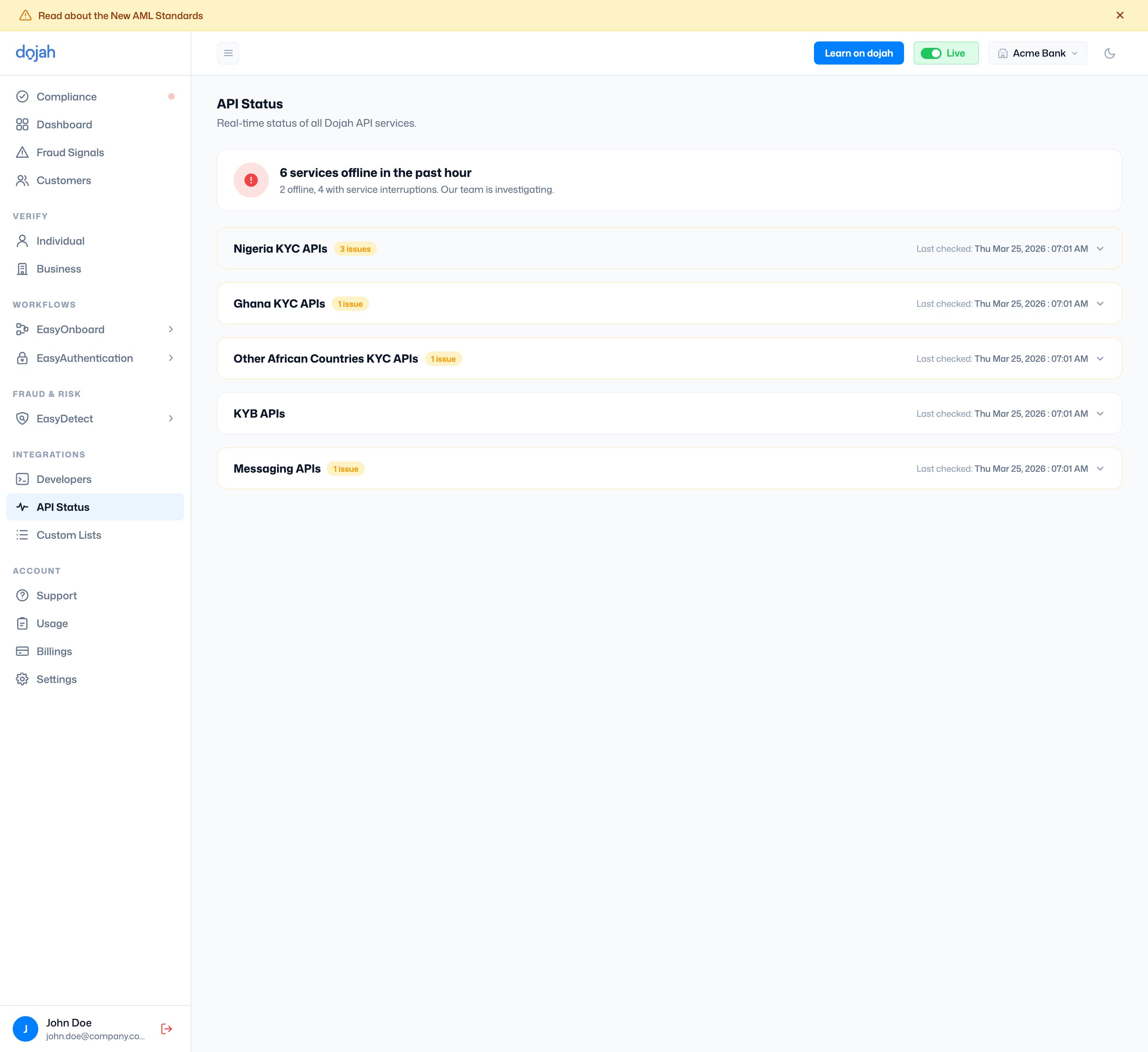
Service categories
Services are grouped into collapsible categories. Each header shows an issue count if any of its services are affected, and a Last checked timestamp. Click a category to expand it and see the services inside.- Nigeria KYC APIs — identity checks for Nigeria (BVN, NIN, CAC, and more).
- Ghana KYC APIs — identity checks for Ghana (Ghana Card, Passport, and more).
- Other African Countries KYC APIs — checks for Kenya, South Africa, Uganda, and others.
- KYB APIs — business verification (CAC Basic, CAC Advanced, TIN Lookup).
- Messaging APIs — OTP delivery over SMS, WhatsApp, and Email.
Reading a service’s status
Expanding a category reveals a card for each service. The card shows the service’s current status, when it was last updated, and a short strip of recent uptime.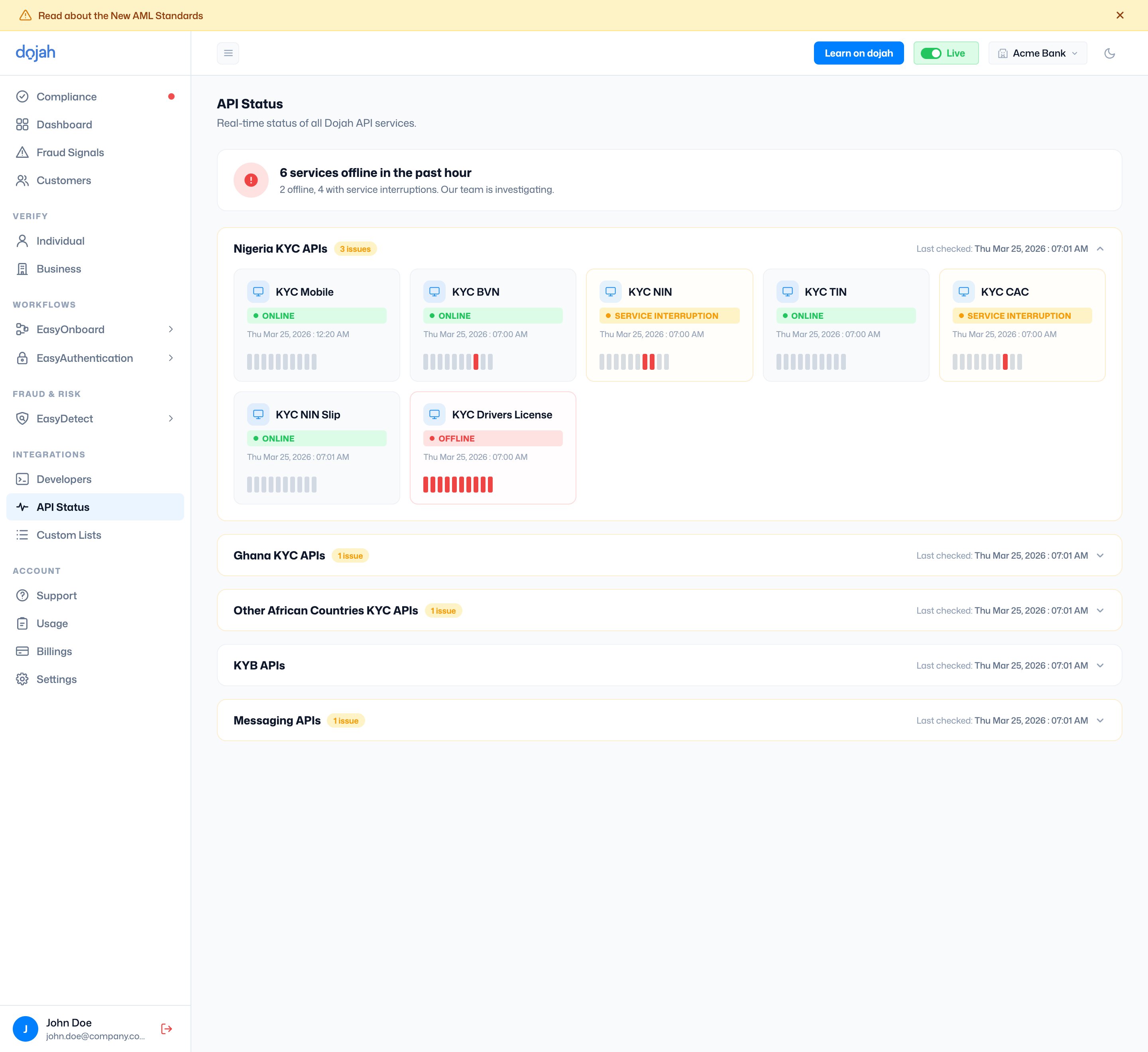
What the statuses mean
Frequently asked questions
How do I check if a Dojah API is down?
How do I check if a Dojah API is down?
Open API Status under Integrations in the dashboard. The banner at the top tells you whether all systems are operational, and each service category shows the status of its individual services. Expand a category to find the specific check you’re using.
What do Online, Service Interruption, and Offline mean?
What do Online, Service Interruption, and Offline mean?
Online means the service is running normally. Service Interruption means it’s up but having intermittent issues, so some requests may fail or be slow. Offline means it’s currently unavailable and Dojah’s team is investigating.
What are the bars on each service card?
What are the bars on each service card?
They’re a recent uptime history for that service. A red bar marks a period when the service was down, so a card with red bars had a recent outage even if it’s back online now.
A service shows Offline — what should I do?
A service shows Offline — what should I do?
An Offline status means the issue is on Dojah’s side, and the team is already investigating — there’s nothing to fix in your integration. Retry once the service returns to Online. If a check is failing for you but API Status shows the service is Online, check the response code in Usage or reach out via Support.