
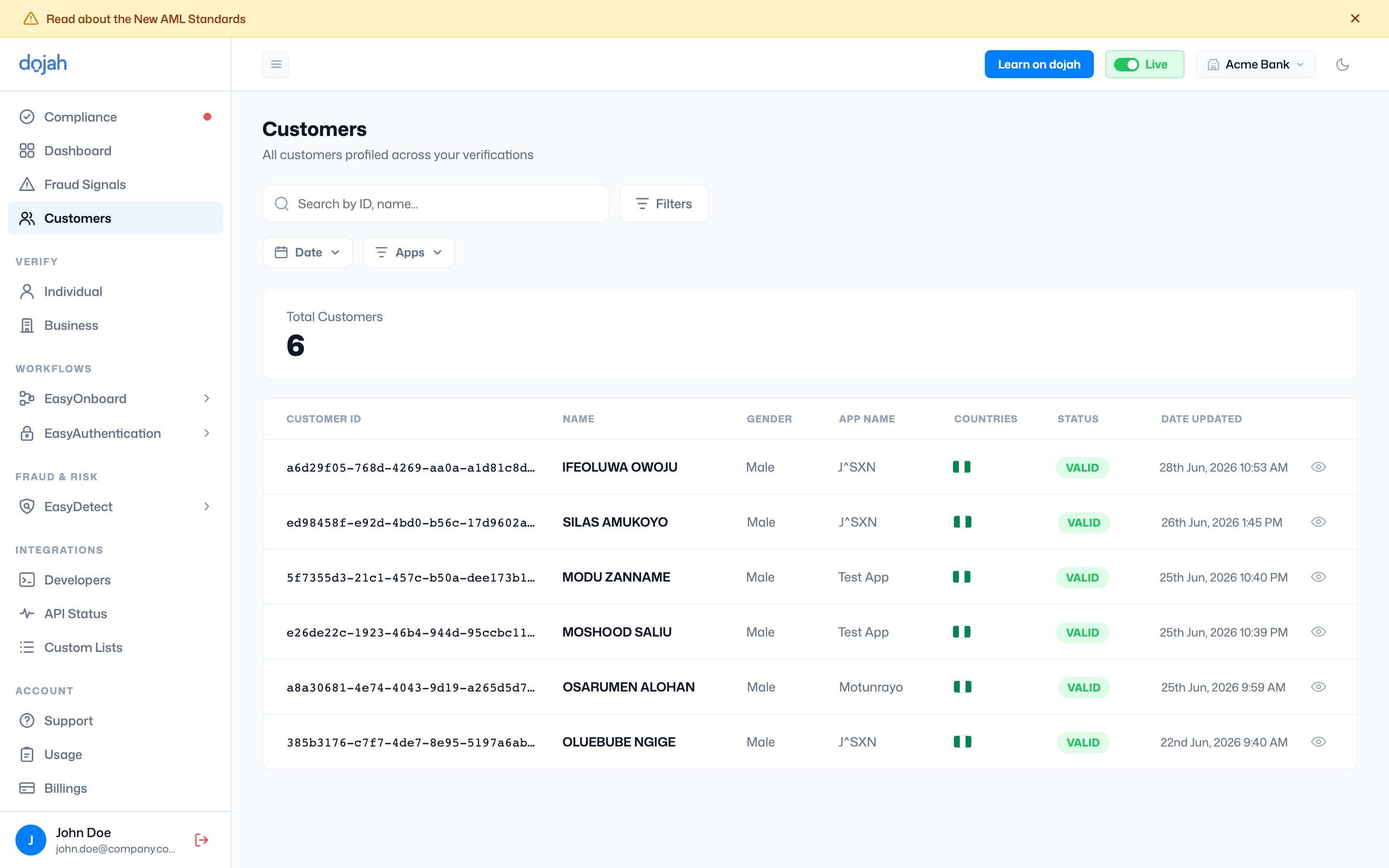
The customer list
Each row is one customer profile:
Select the view icon at the end of a row to open that customer’s full profile.
Viewing a customer
Opening a customer shows their full profile — a consolidated view of everything Dojah knows about them, gathered from every verification you’ve run.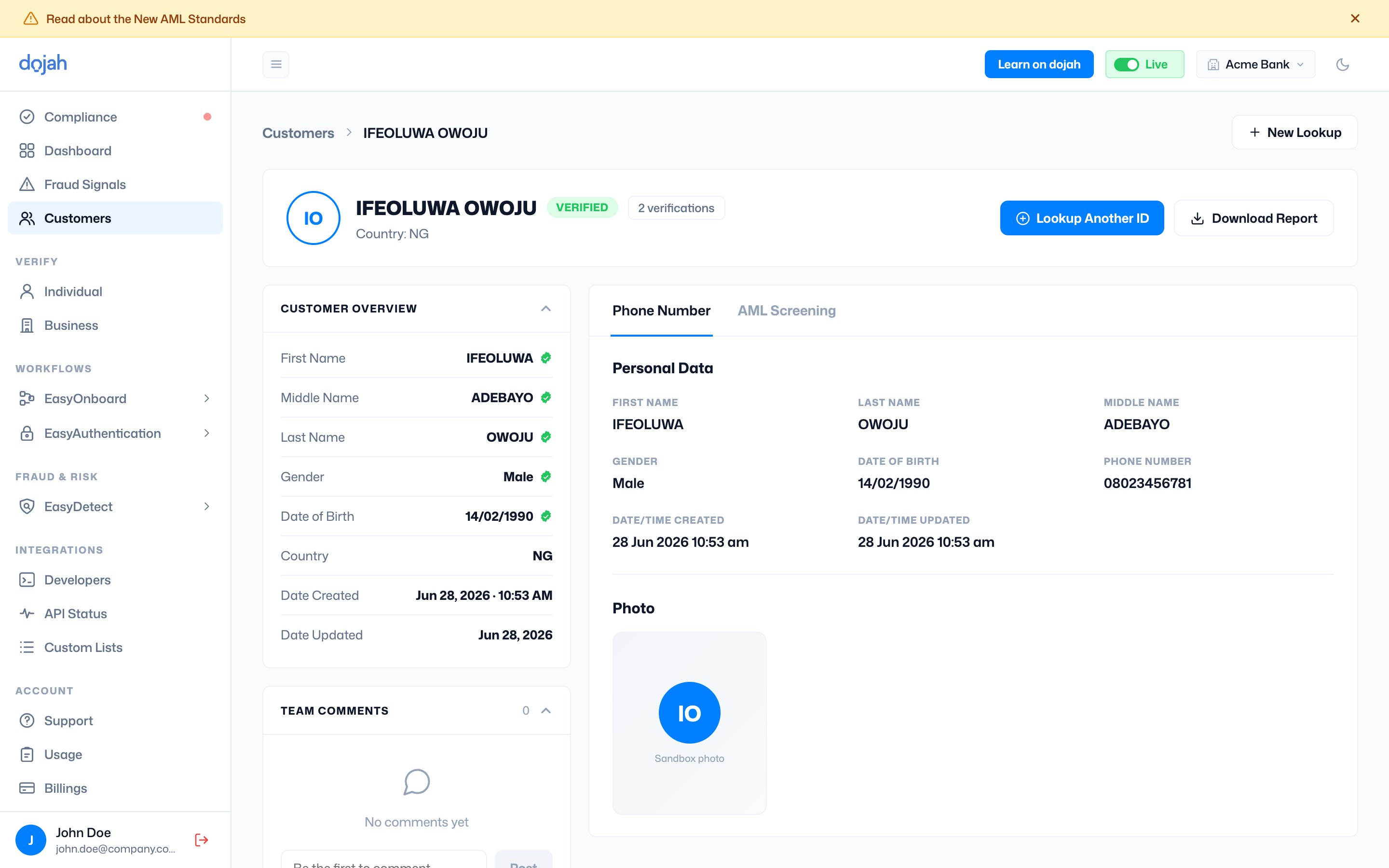
- Header — the customer’s name, verified status, number of verifications, and country, plus actions to Lookup Another ID (run a further check on them), Download Report, or start a New Lookup.
- Customer Overview — the consolidated identity record (first/middle/last name, gender, date of birth, country, and created/updated dates), with a green seal on each verified field.
- Tabs — each data source appears as its own tab (e.g. Phone Number, AML Screening). The tab shows the data returned for that check — personal data, photo, and more.
- Team Comments — leave notes on the customer so your team can collaborate on a case.
Finding a customer
Search by ID or name to jump to a specific person, and narrow the list with the Date and Apps filters — handy when you run verifications across more than one app.Profiles build automatically. You don’t add customers by hand — each one is created as you run verifications, so the directory grows alongside your activity.
Frequently asked questions
How are customer profiles created on Dojah?
How are customer profiles created on Dojah?
Profiles are built automatically as you run verifications — you don’t add customers by hand. Each verified individual becomes a customer profile, so the directory grows alongside your activity.
Can I search and filter customers?
Can I search and filter customers?
Yes. Search by ID or name to find a specific person, and narrow the list with the Date and Apps filters — useful when you verify across more than one app.
What’s inside a customer profile?
What’s inside a customer profile?
A Customer Overview with the consolidated identity record (verified fields carry a green seal), tabs for each data source (such as Phone Number and AML Screening), team comments, and actions to look up another ID or download a report.