Running a Business AML Screening
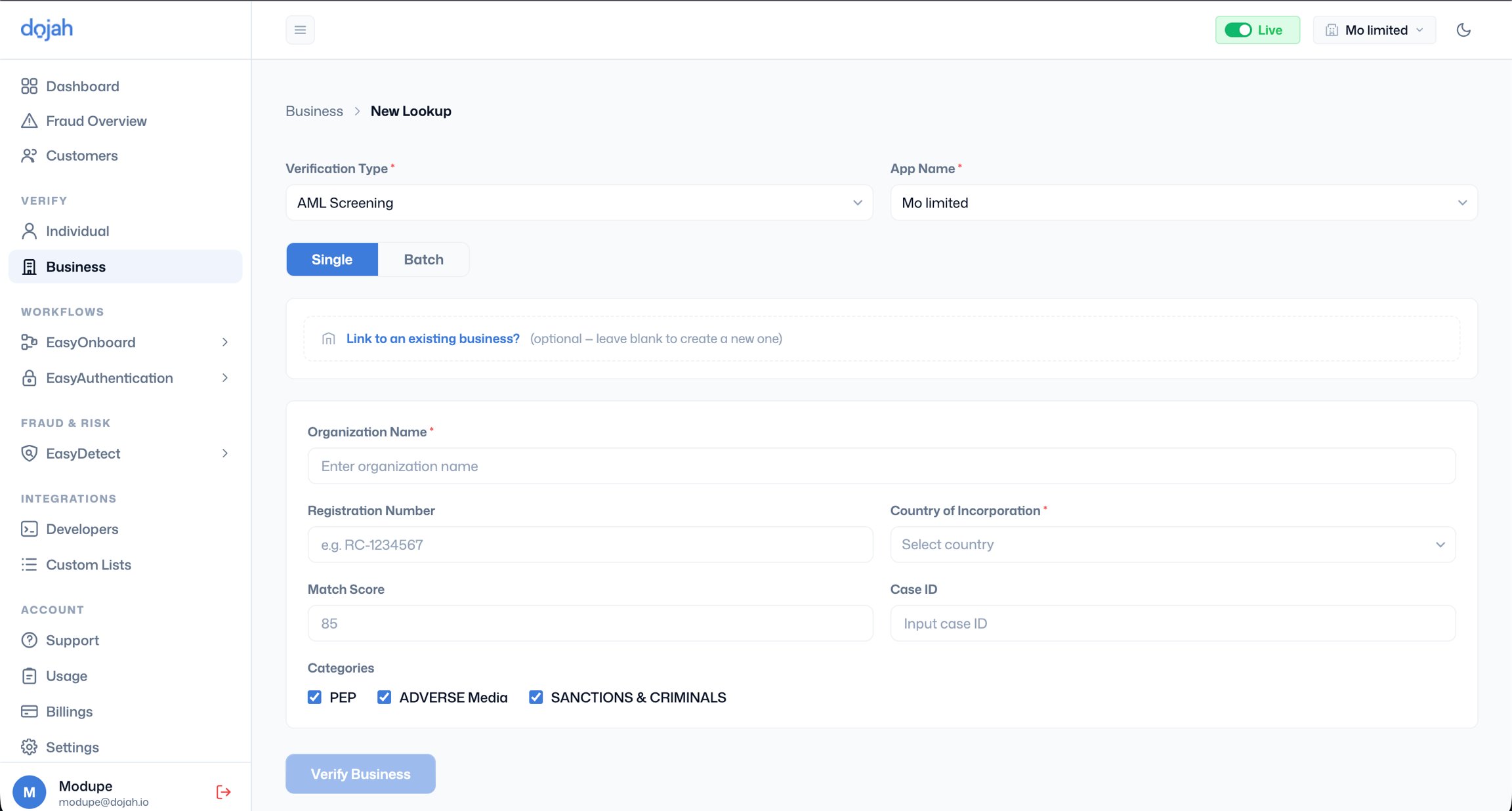
- Go to Verify > Business, click ’+ New Lookup’, and select ‘AML Screening’ as the Verification Type.
- App Name - Select the application this screening should be attributed to.
- Single or Batch - Choose Single for a one-off screening. Use Batch to screen multiple businesses at once via file upload.
- Link to an existing business - If this organisation already has a record in your system, link the screening to that record to consolidate all checks in one place. Leave blank to create a new business record automatically.
- Fill in the following fields:
- Organization Name - Enter the company’s full registered name exactly as it appears on its certificate of incorporation or official documents. The accuracy of the screening result depends heavily on the name entered. Abbreviations, shortened trading names, or informal variants may cause genuine matches to be missed. If a company is known by multiple names, run separate screenings for each.
- Registration Number - Optional but recommended. Providing the company’s RC number or equivalent registration number helps the system distinguish between companies with similar names and improves match accuracy.
- Country of Incorporation - Select the country where the business is registered. This is required and narrows the screening to the relevant jurisdictional context, reducing false positives from similarly named companies in other countries.
- Match Score - The minimum confidence threshold for returning a result. The default is 85. Lowering this returns more results, including weaker matches; raising it restricts results to only very close name matches. For most business compliance screening, 85 is the recommended starting point. For high-risk sectors or high-value relationships, consider lowering this slightly to cast a wider net.
- Case ID - Optional. Enter your internal case reference number if your compliance system uses one to link this screening result to a specific case in your records.
- Categories - Select which watchlist categories to screen against. All three are selected by default:
- PEP - Screens for politically exposed persons associated with the organisation, such as state-owned enterprises or companies with government-linked directors
- Adverse Media - Screens for news and media reports associating the organisation with financial crime, fraud, corruption, or regulatory breaches
- Sanctions & Criminals - Screens against international sanctions lists, including OFAC, UN, EU, and UK HMT
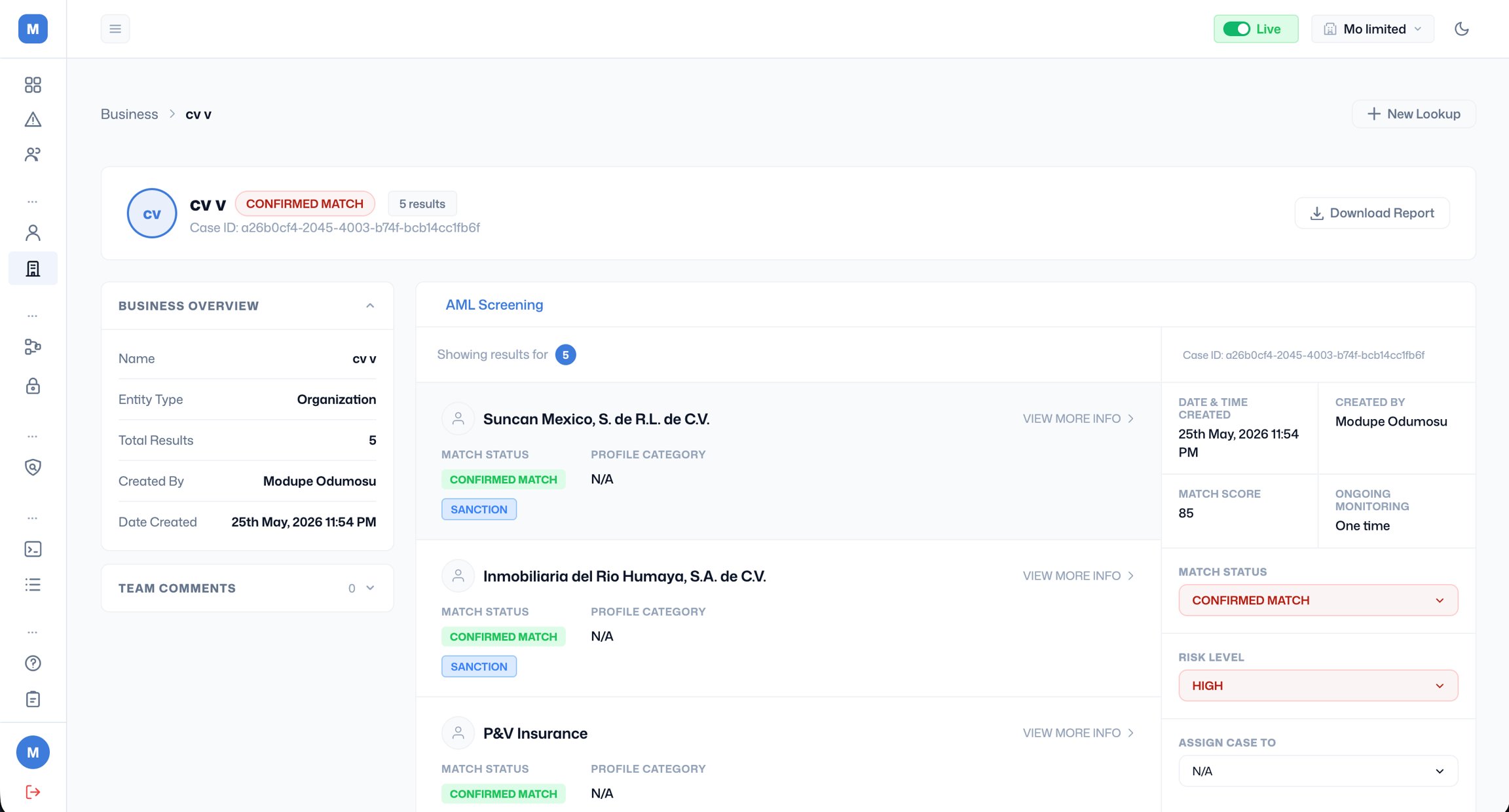
- Click Verify Business to submit.