Running a Business Data Lookup
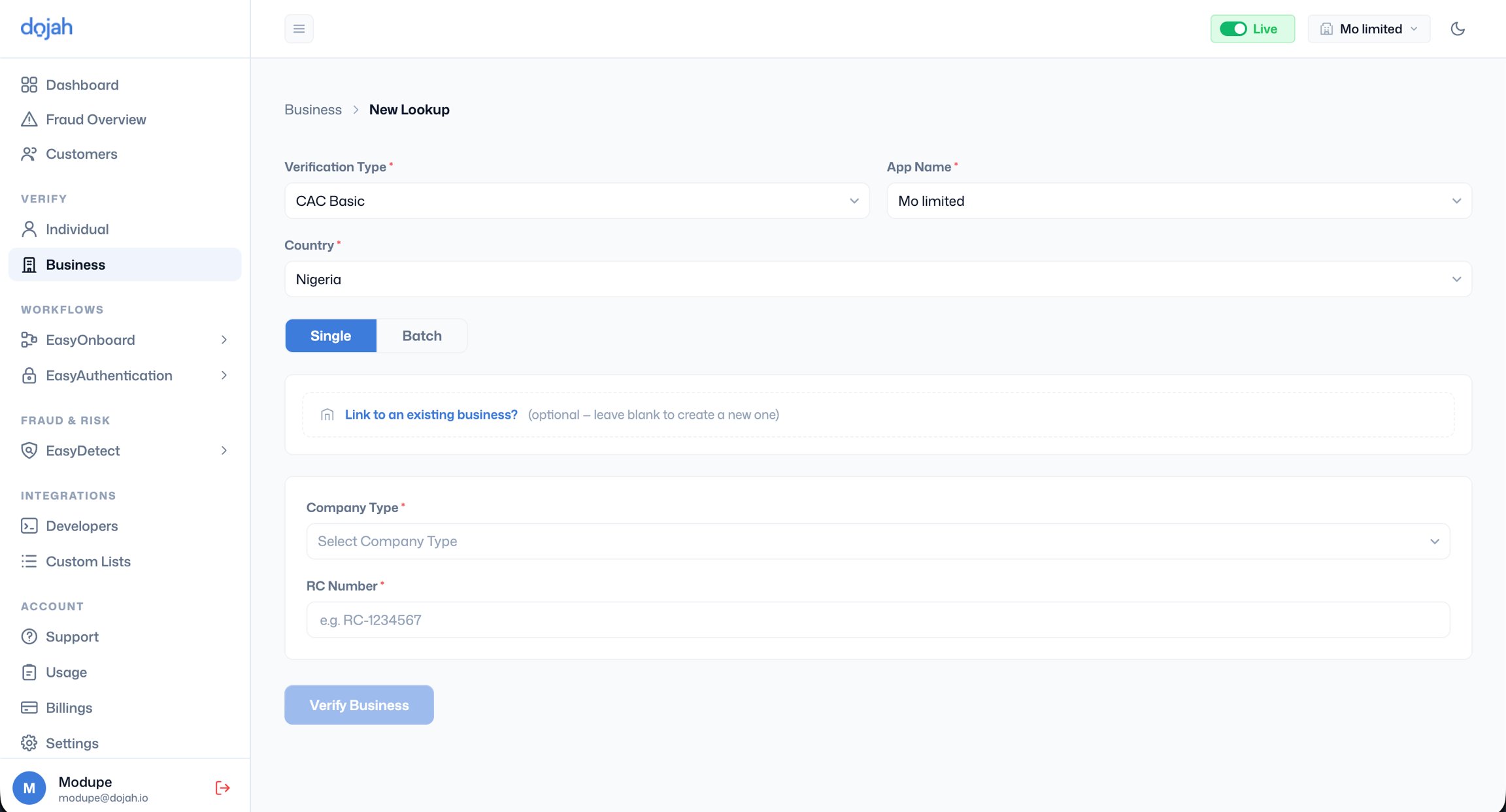
- Go to Verify > Business, click + New Lookup, and fill in the following:
- Verification Type - Select the type of check you want to run. For standard company registration checks, select CAC Basic.
- App Name - Select the application this lookup should be attributed to.
- Country - Select Nigeria for CAC lookups. As coverage expands to other countries, additional options will appear here.
- Single or Batch - Select Single for a one-off check. For verifying multiple businesses at once, switch to Batch; see the Batch Lookups section below.
- Link to an existing business - If the business already has a record in your system from a previous verification, link this lookup to that existing record to keep all checks consolidated. Leave blank to create a new business record automatically.
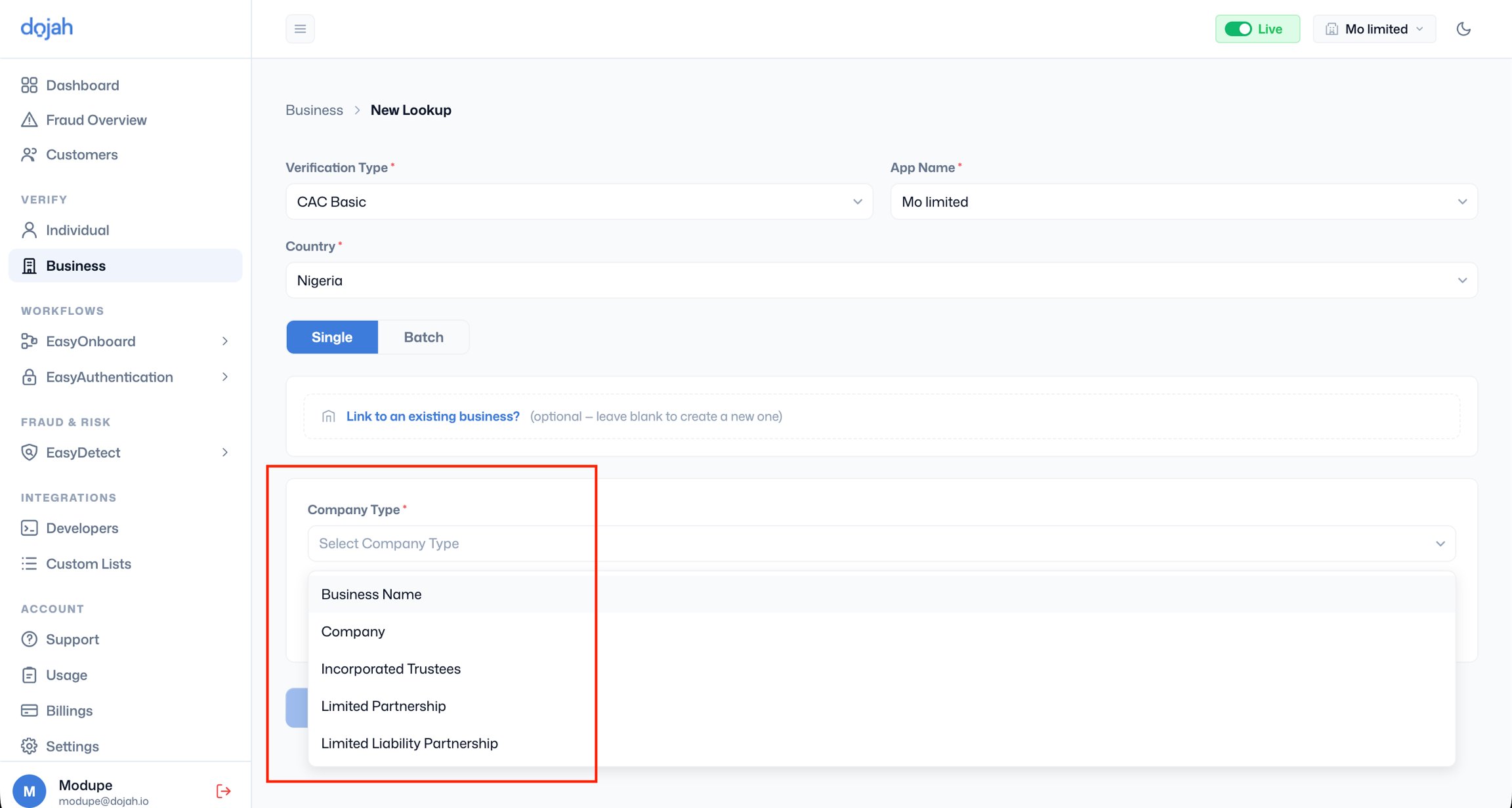
- Company Type - Select the type that matches the business you are verifying: Business Name, Company, Incorporated Trustees, Limited Partnership, or Limited Liability Partnership.
- RC Number - Enter the company’s registration number as issued by the CAC. The format shown as a placeholder is RC-1234567, but you can enter the numeric portion only (e.g. 7095763), the system accepts both formats. The RC number is found on the company’s certificate of incorporation, CAC annual returns, or official correspondence from the commission.
Lookup statuses
FOUND - The RC number was located in the CAC database, and registration details were returned. Review the result carefully to confirm the details match the business you are onboarding. NOT FOUND - No record exists in the CAC database for that RC number and company type combination. Common causes are:- The RC number was entered incorrectly - verify it against the certificate of incorporation
- The wrong company type was selected - a Business Name RC number will return NOT FOUND if you select Private Limited Company, and vice versa
- The company was recently registered and its record has not yet propagated to the database
- The company has been struck off and its record is no longer active