Documentation Index
Fetch the complete documentation index at: https://docs.dojah.io/llms.txt
Use this file to discover all available pages before exploring further.
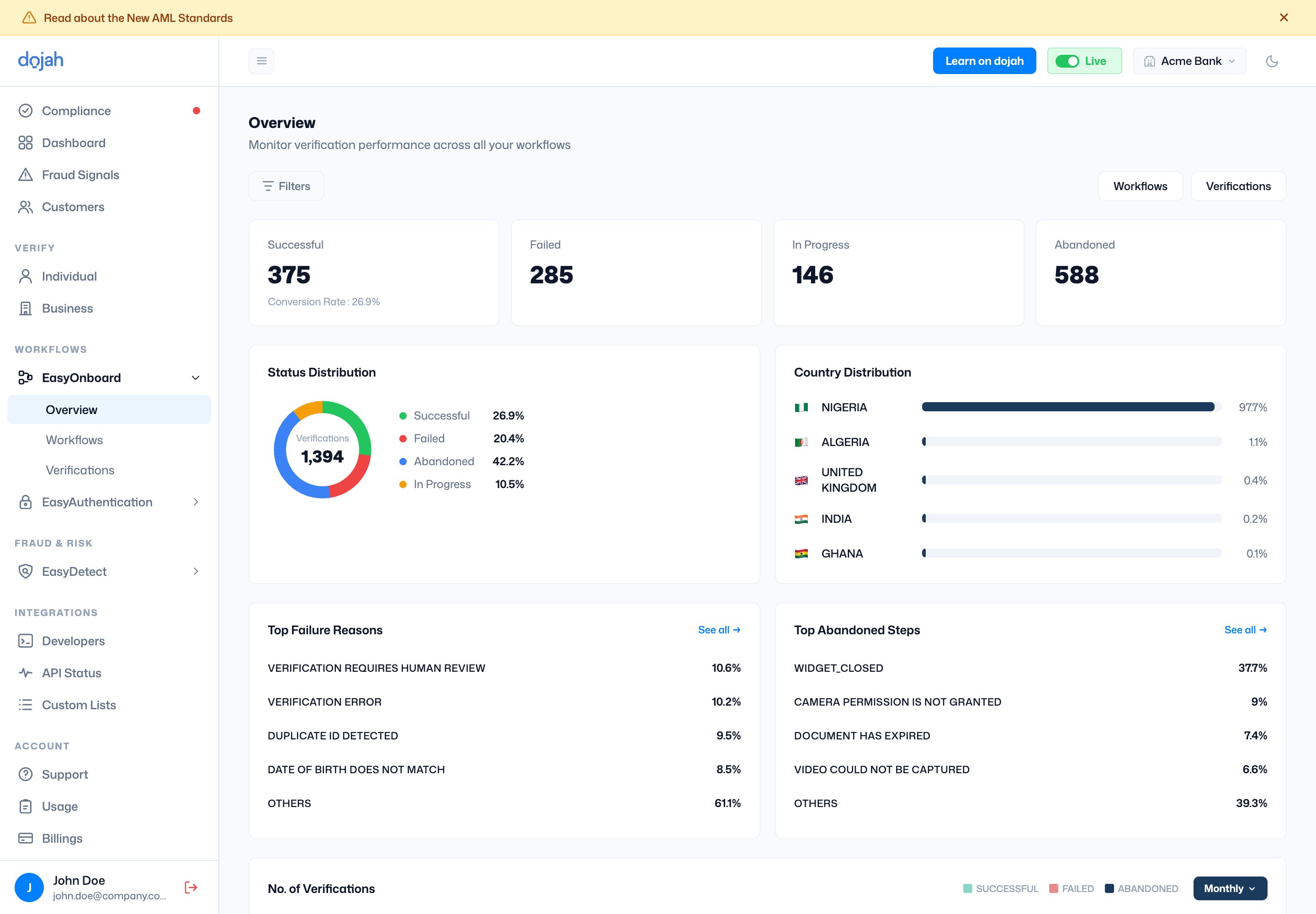
The Overview page monitors verification performance across all your flows. It shows four summary metrics:
- Successful: verifications that passed, along with your overall conversion rate.
- Failed: verifications that did not pass.
- In Progress: verifications are currently pending or ongoing.
- Abandoned: verifications that were started but not completed.
The Status Distribution donut chart shows the percentage breakdown of all verification outcomes. The country distribution bar chart shows where your verifications are coming from by country.
At the bottom, Top Failure Reasons lists the most common reasons verifications fail (e.g., the identification number could not be verified, the IP address is blocked, etc). Top Abandoned Steps shows where users most often drop off (e.g., abandoned at the government data step or abandoned at the ID step). Both sections have a “See all” link for the full list.
Use the Workflows and Verifications buttons in the top right to navigate directly to those sections. Use filters to narrow the data by date range or other attributes.
