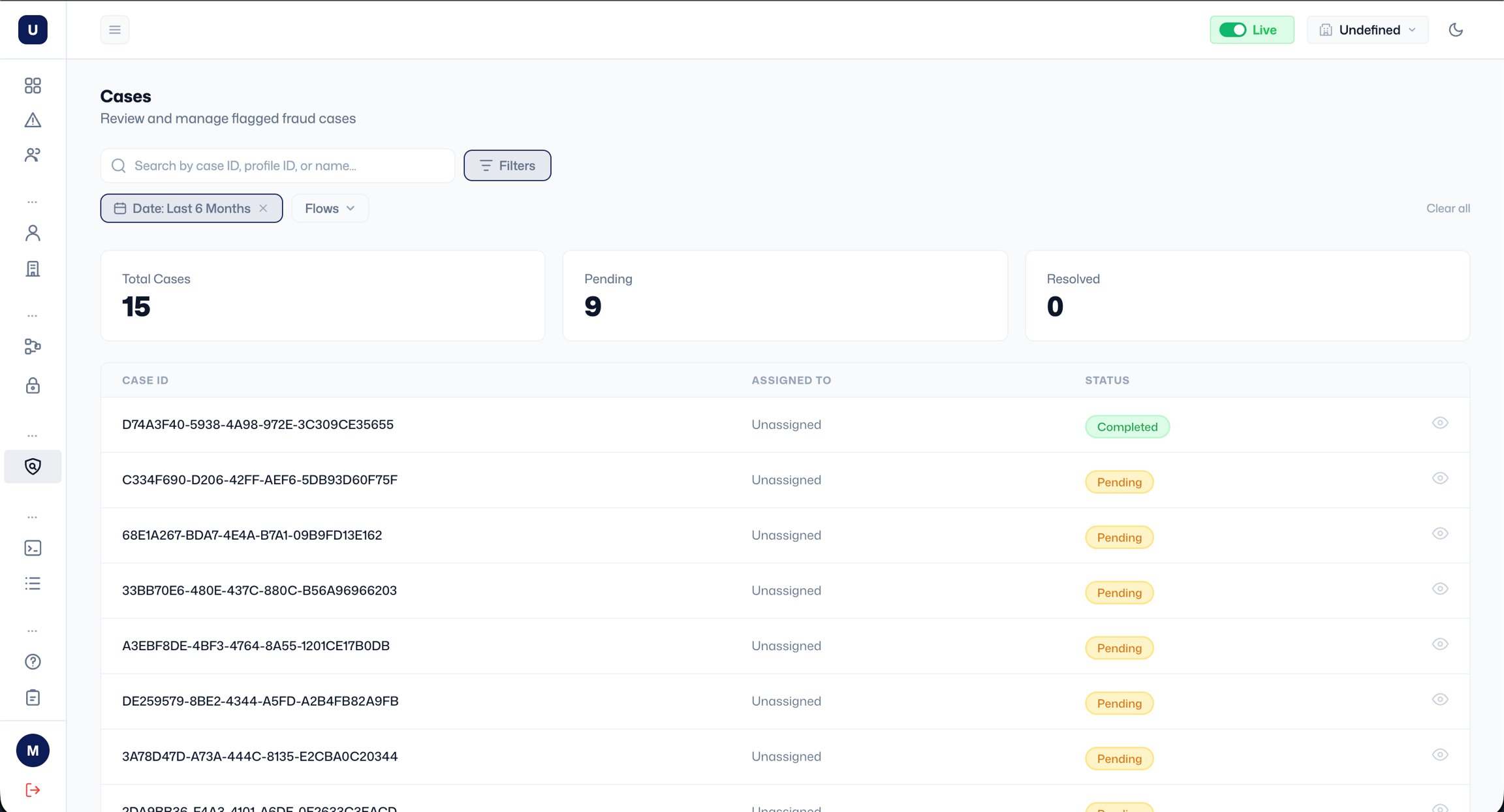
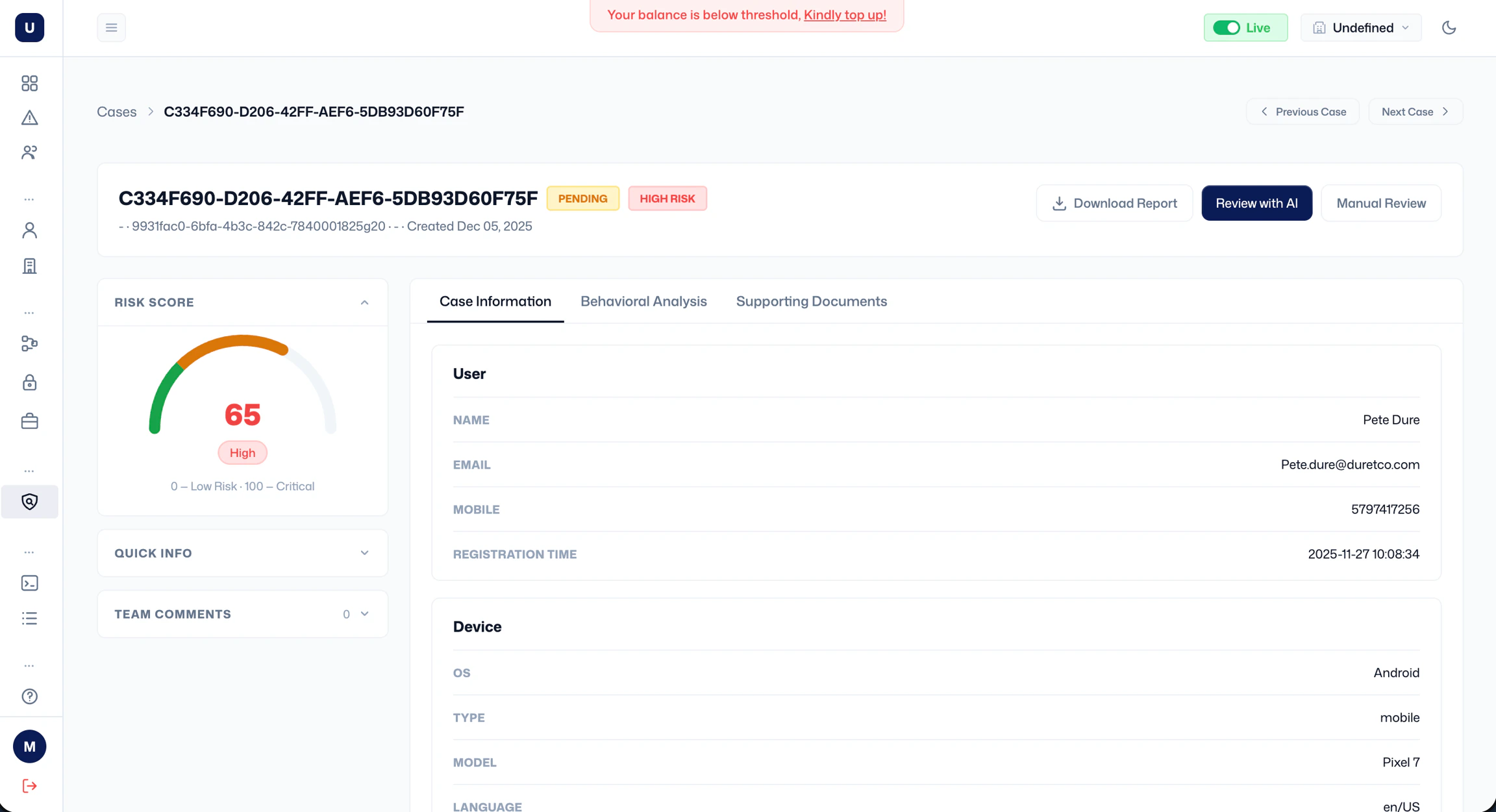
Viewing a case Click the eye icon on any row to open the case detail page. At the top you’ll see the case ID, status badge, risk tier badge, the linked profile name and ID, the flow that generated it, and the date it was created. You can navigate between cases using Previous Case and Next Case. The left panel shows the following:
- Risk Score: a gauge showing the score and tier.
- Quick Info: a collapsed summary of key signals (expand to view).
- Team Comments: a comment section for teams.
- Case Information: transaction details (transaction ID, amount, currency, type, channel, and timestamp) and user information.
- Behavioural Analysis: behavioural signals associated with the event.
- Supporting Documents: any documents attached to the case.
- Review with AI: launches an AI-assisted review that analyses the case and suggests a decision.
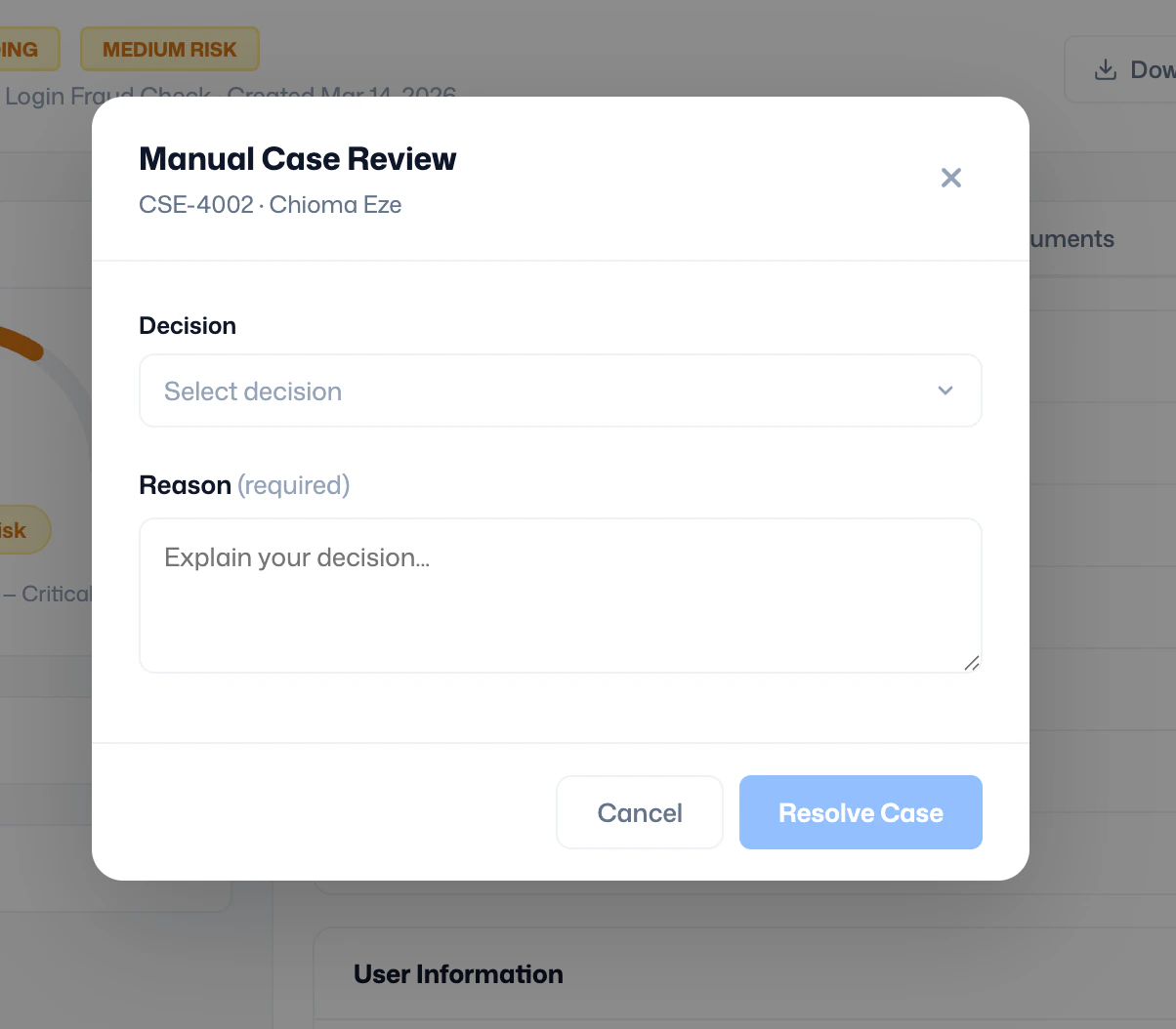
- Manual Review: opens the Manual Case Review modal, where you select a decision (Allow or Block), enter a required reason explaining your decision, and click Resolve Case.