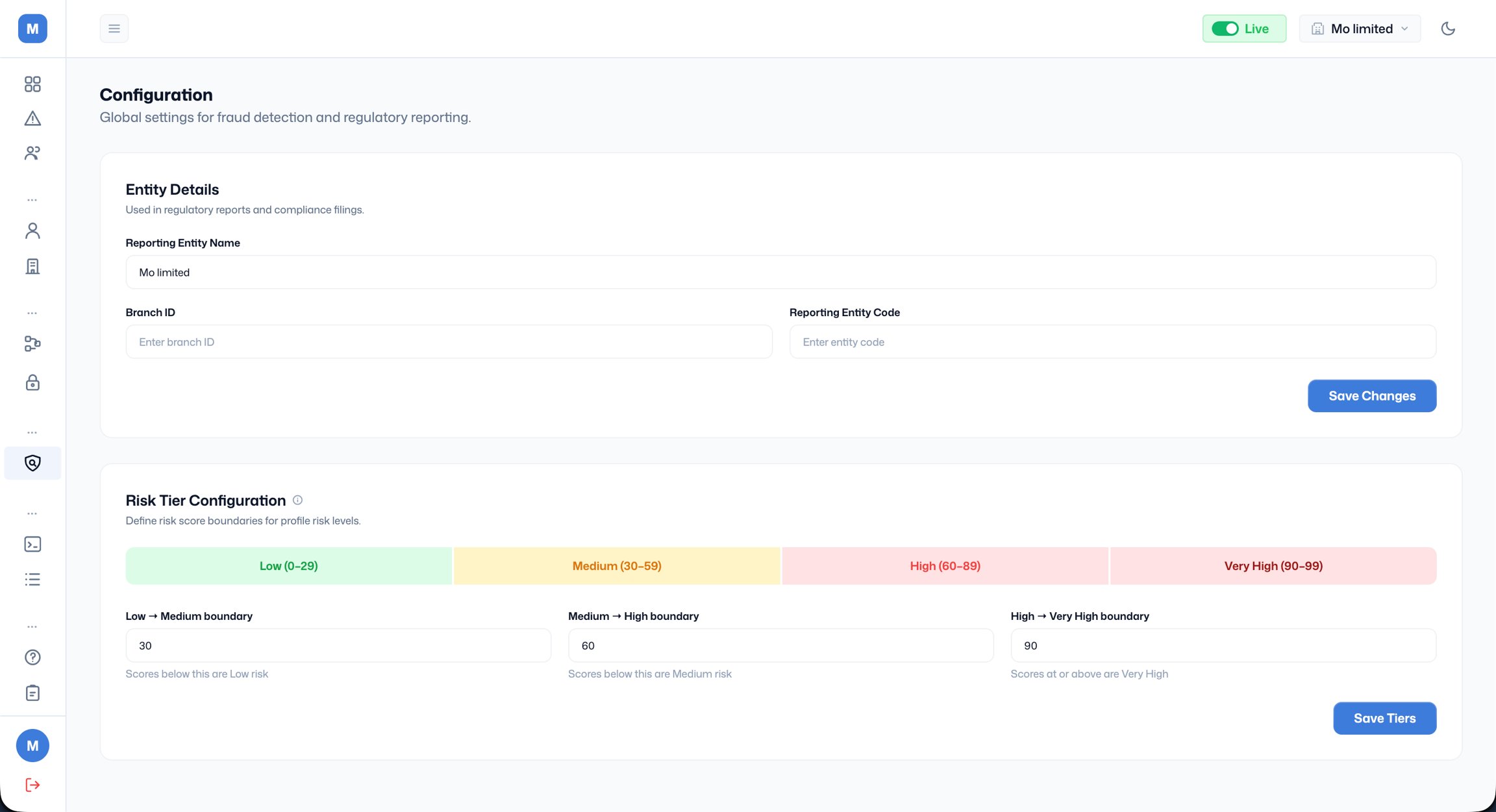
Entity Details This section stores your organisation’s information used in regulatory reports and compliance filings. There are three fields to fill in:
- Reporting Entity Name: the official name of your organisation as it should appear on regulatory reports.
- Branch ID: your branch identifier.
- Reporting Entity Code: the unique code assigned to your reporting entity.
Risk Tier Configuration This section lets you define the score boundaries that determine which risk tier a profile or event falls into. There are four tiers displayed as a colour-coded bar: Low, Medium, High, and Very High. You control where each tier begins and ends by setting three boundary values:
- Low → Medium boundary: scores below this value are classified as ‘low risk’. The default is 30, meaning scores from 0 to 29 are low.
- Medium → High boundary: scores below this value (but above the low boundary) are classified as medium risk. The default is 60, meaning scores from 30 to 59 are medium.
- High → Very High boundary: scores at or above this value are classified as ‘very high’ risk. The default is 90, meaning scores from 60 to 89 are high and scores from 90 to 99 are very high.