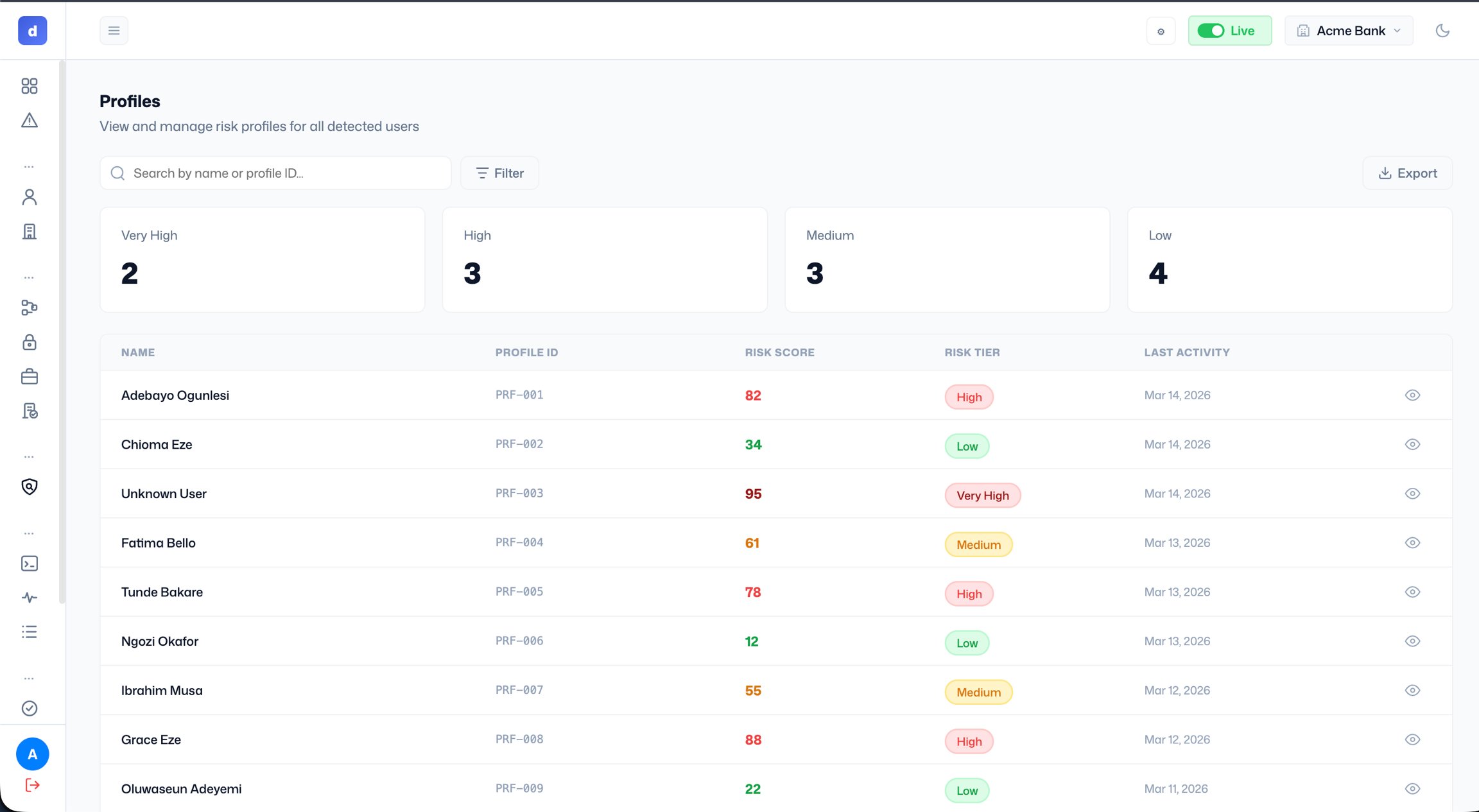
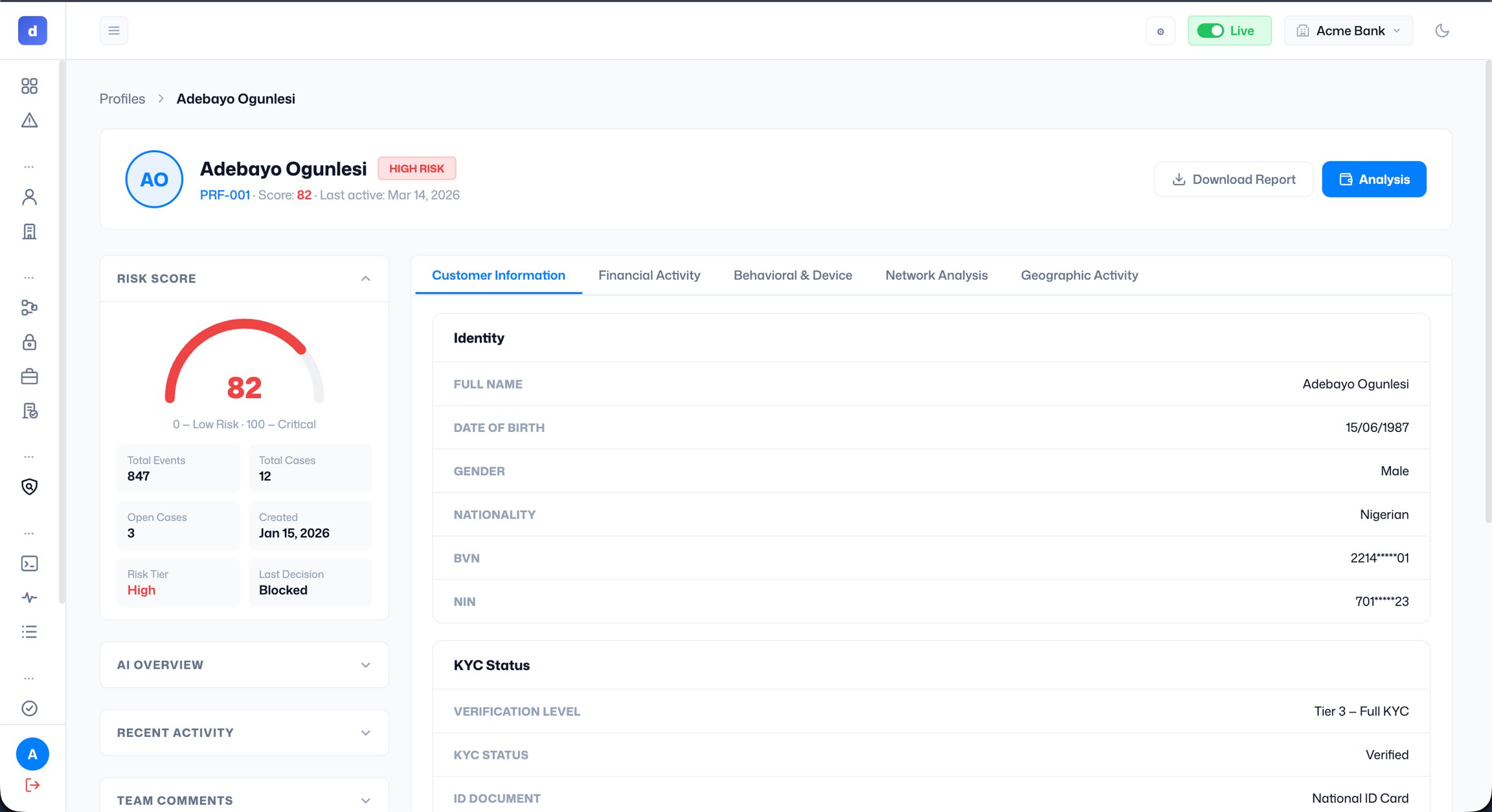
- Risk Score: the current score with a gauge visual, plus summary stats: total events, total cases, open cases, profile creation date, risk tier, and last decision.
- AI Overview: an AI-generated summary of the profile’s risk signals (expand to view).
- Recent Activity: a log of the profile’s most recent events.
- Team Comments: internal notes added by your team.
- Customer Information: identity details (name, date of birth, gender, nationality, BVN, and NIN), KYC status, and ID documents.
- Financial Activity: transaction history and financial behaviour.
- Behavioural & Device: device fingerprints, login patterns, and behavioural signals.
- Network Analysis: connections to other profiles or flagged entities.
- Geographic Activity: location data associated with the profile’s activity.