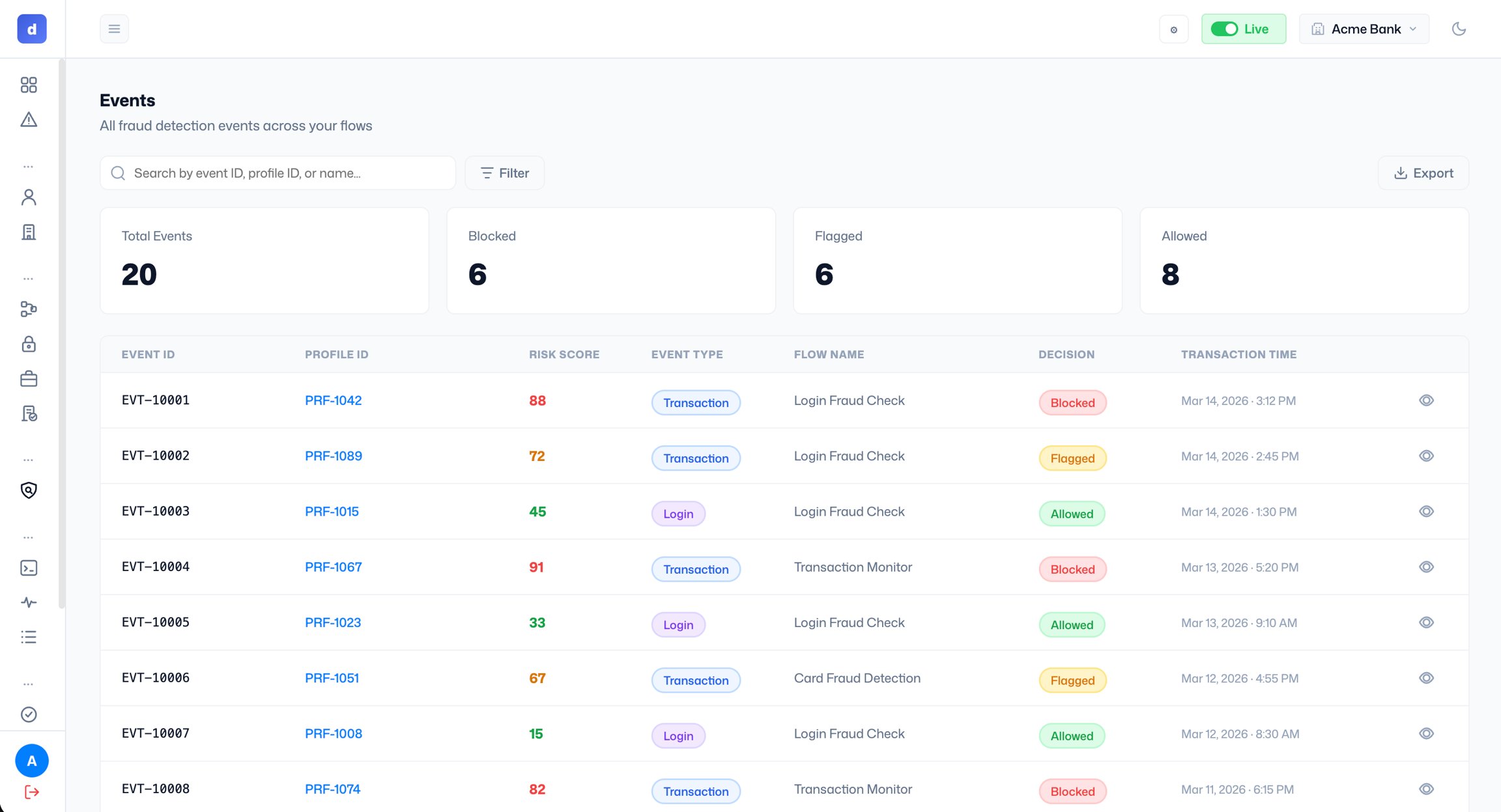
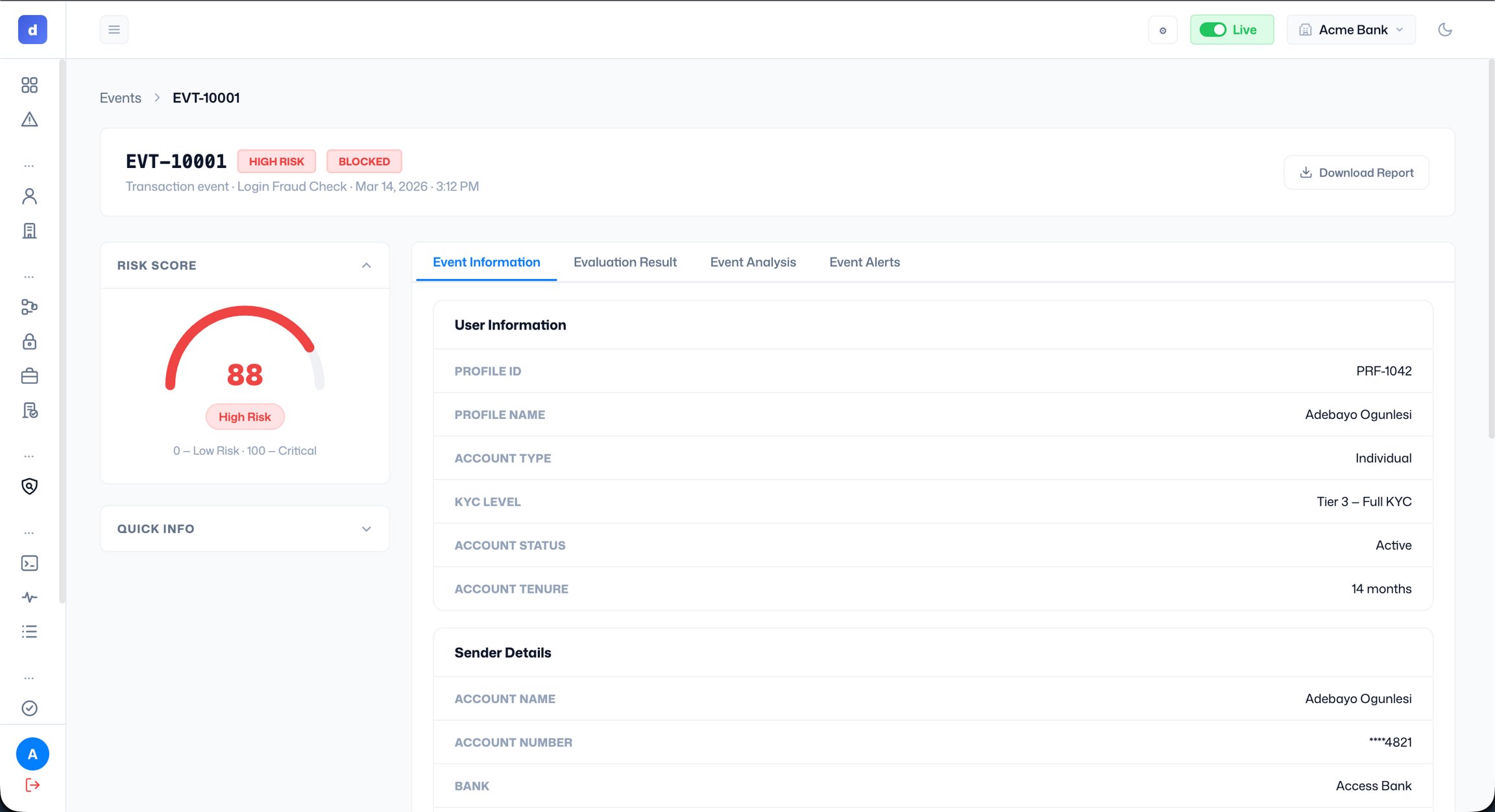
Viewing an event Click the eye icon to open an event detail page. It shows the event ID, risk tier, decision badge, event type, flow name, and timestamp. The left panel shows the risk score and a quick info summary. The right panel has four tabs:
- Event Information: user information (profile ID, name, account type, KYC level, account status, account tenure) and sender details.
- Evaluation Result: which rules fired and how they contributed to the score.
- Event Analysis: a deeper breakdown of the risk signals.
- Event Alerts: any alerts generated by the event.