
Network overview
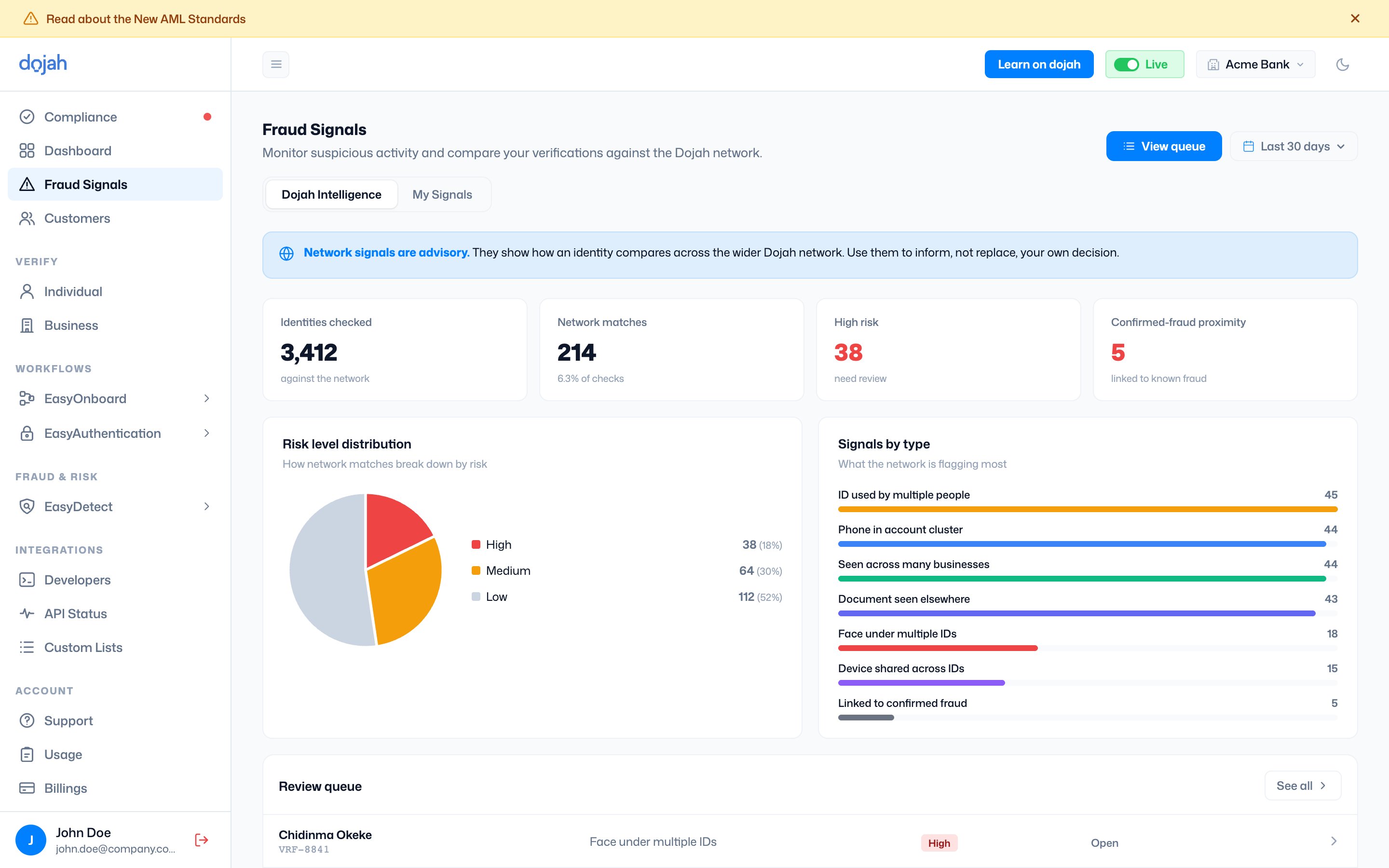
The top of the view summarizes what the network found:
Below that, Risk level distribution breaks matches into High, Medium, and Low, and Signals by type shows what the network is flagging most — for example ID used by multiple people, Phone in account cluster, Document seen elsewhere, Face under multiple IDs, and Linked to confirmed fraud.
Review queue
The actionable list — identities flagged by the network, ready for you to look at. Search by name, ID, or signal, and filter by Risk, Signal, Status, or date.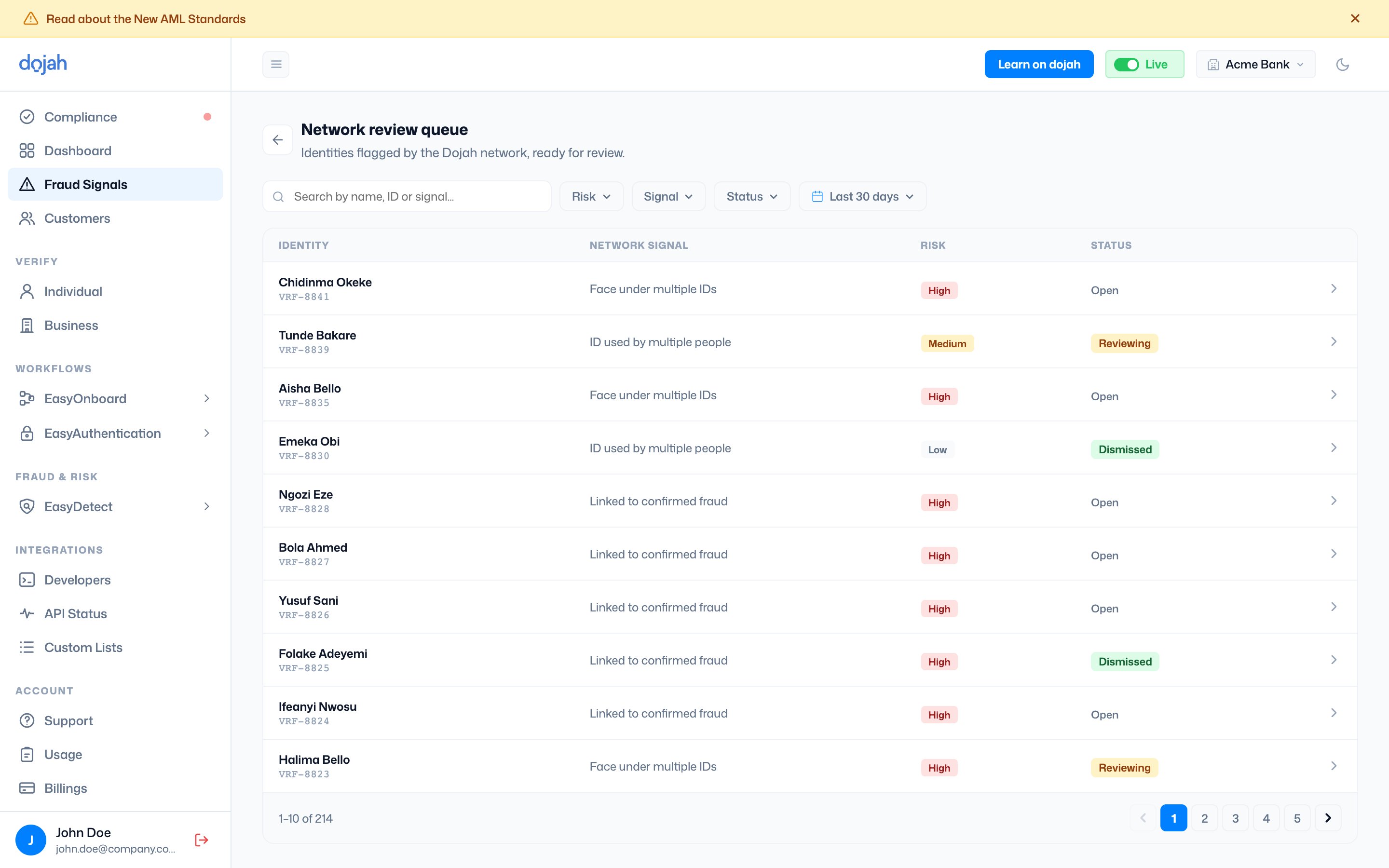
Opening an item lets you record your own decision — confirm fraud or dismiss it. Confirming captures your judgement; the network signal stays advisory, so nothing is rejected automatically.