Documentation Index
Fetch the complete documentation index at: https://docs.dojah.io/llms.txt
Use this file to discover all available pages before exploring further.
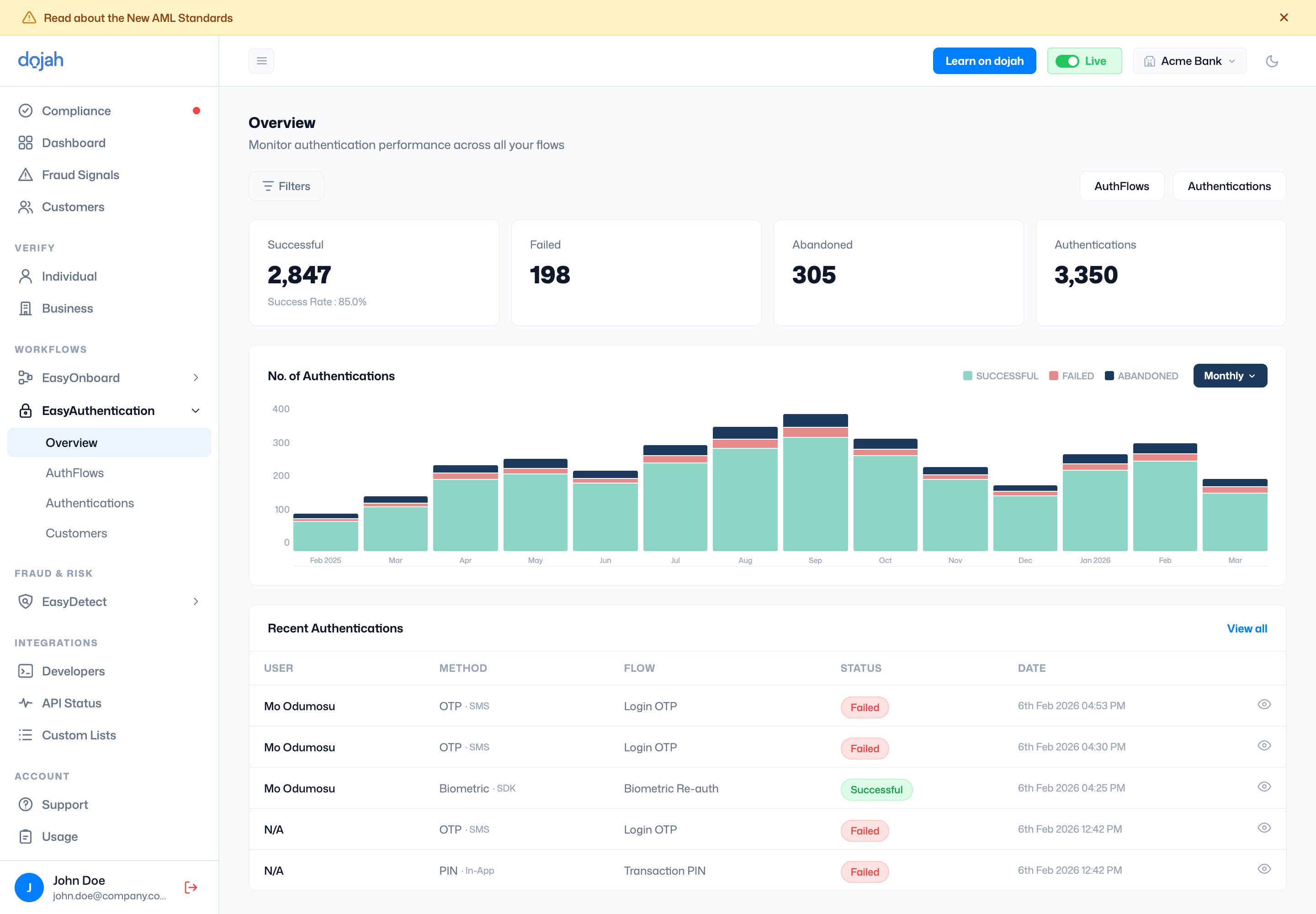
The Overview page monitors authentication performance across all your flows. It shows four summary metrics:
- Successful: authentications that passed, along with the overall success rate.
- Failed: authentications that did not pass.
- Abandoned: authentications that were started but not completed.
- Authentications: the total number of authentication attempts.
The No. of Authentications bar chart shows successful, failed, and abandoned authentications over time. Use the date toggle (monthly or other intervals) to change the view period.
Below the chart, Recent Authentications shows a quick list of the latest sessions with the user name, authentication method, flow used, status, and date. Click ‘View all’ to go to the full Authentications page. Use filters to narrow the dashboard data and the AuthFlows and Authentications buttons in the top right to navigate directly to those sections.
