
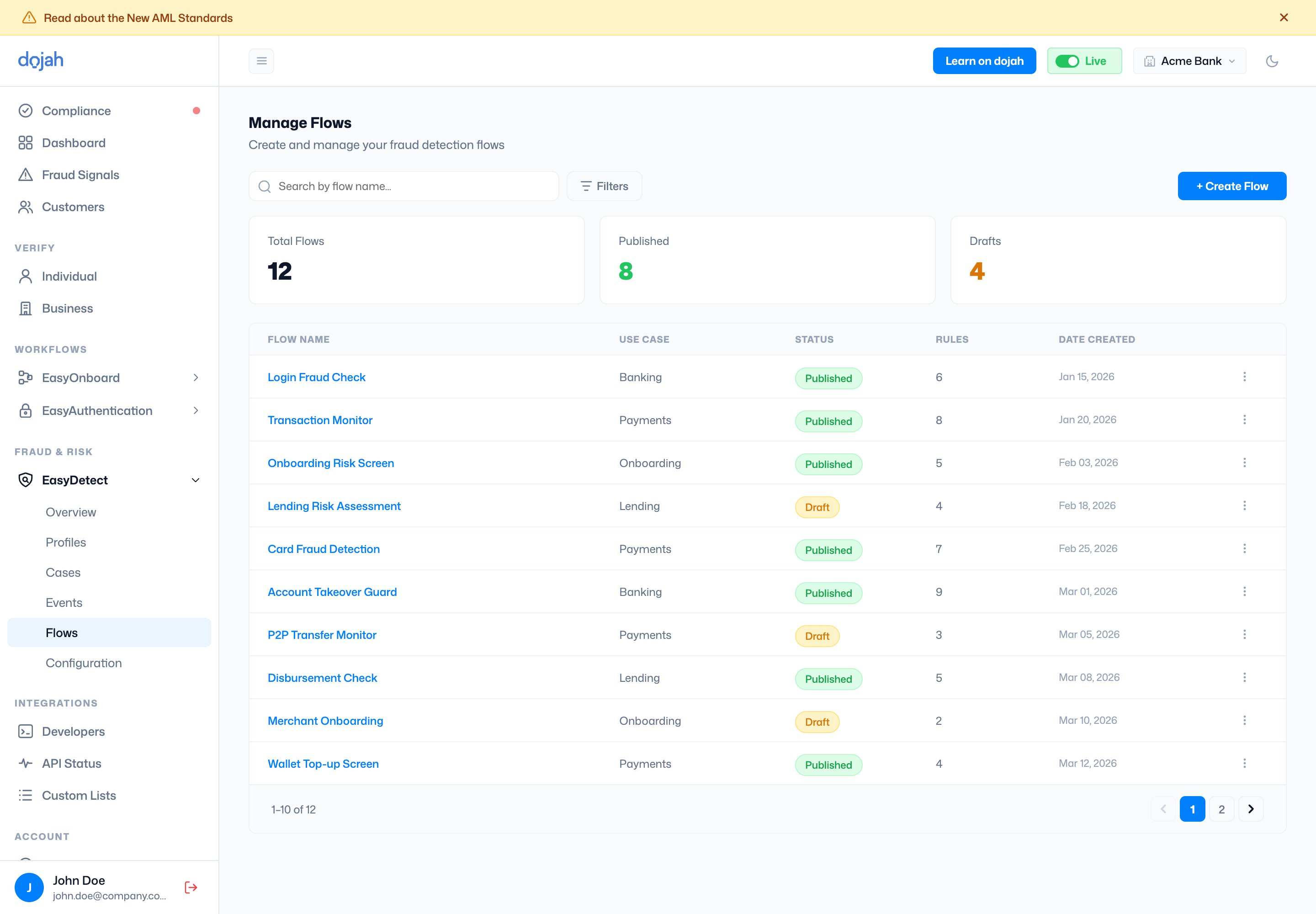
The Rule Builder
Open a flow and select Manage Rules to open the Rule Builder — a visual pipeline that runs an incoming event through each rule, adds up a score, then compares it to your decision thresholds.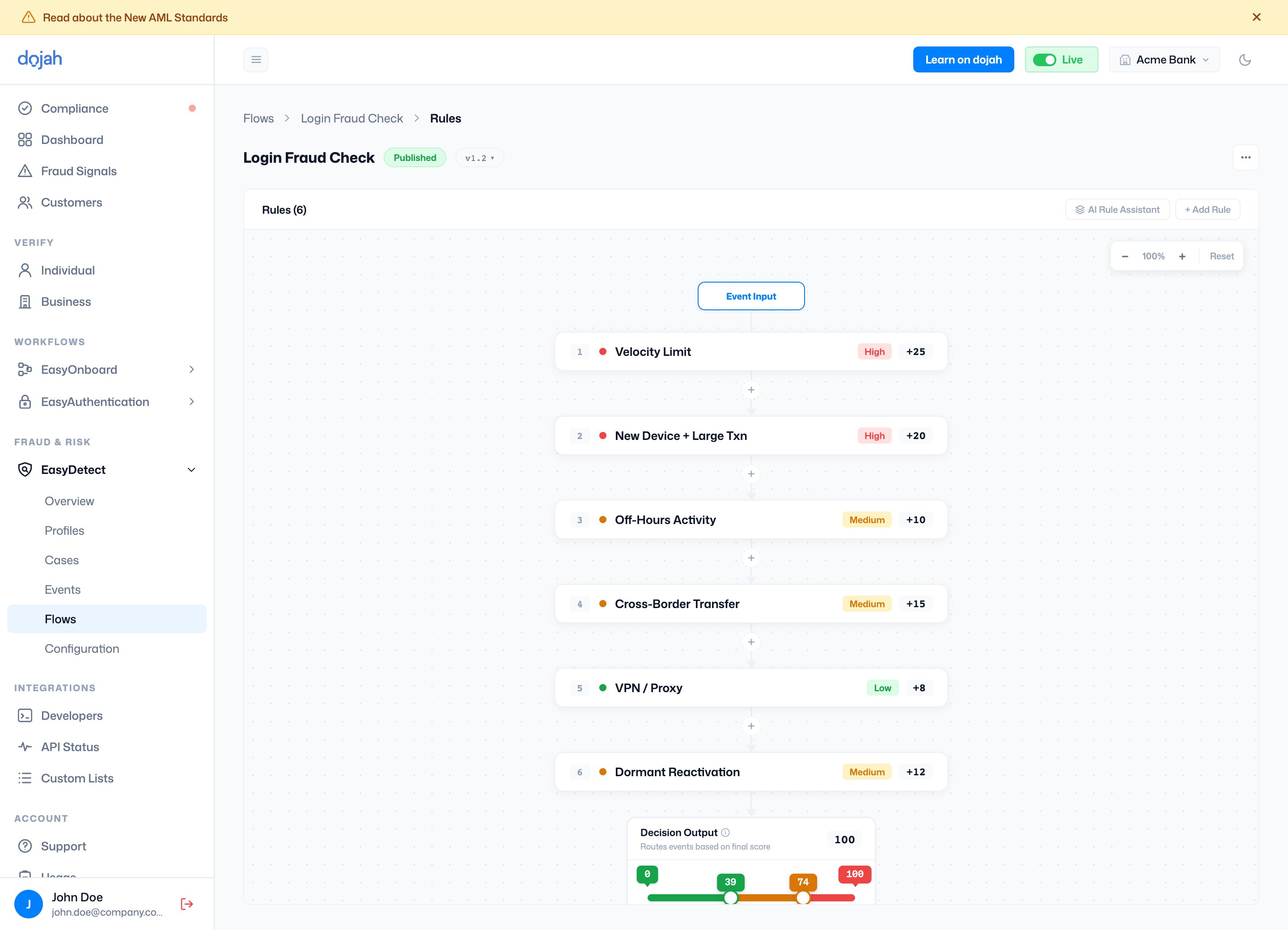
At the bottom, the Decision Output turns the total score into an outcome using a slider — Allow, Review (flag), and Block bands you can drag to make the flow more or less strict. Save your work as a Draft and Publish it when you’re ready to go live.
Settings
Open a flow and select the Settings tab. Notifications is where you tell EasyDetect where to send alerts for flagged and blocked events on that flow.Notifications
This webhook is configured on the flow — it is separate from the subscriptions on Developers → Webhooks.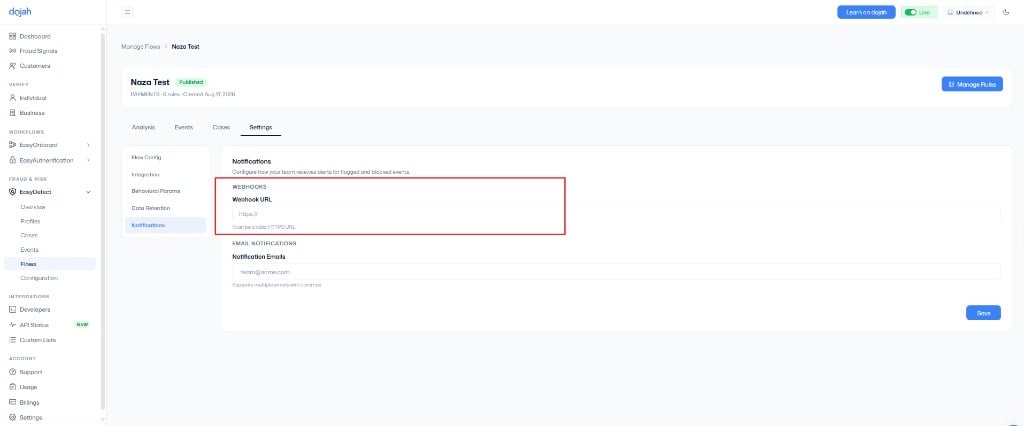
- Go to EasyDetect → Flows and open the flow.
- Select Settings, then Notifications.
- Enter your Webhook URL (
https://…). - Optionally add Notification Emails.
- Select Save.