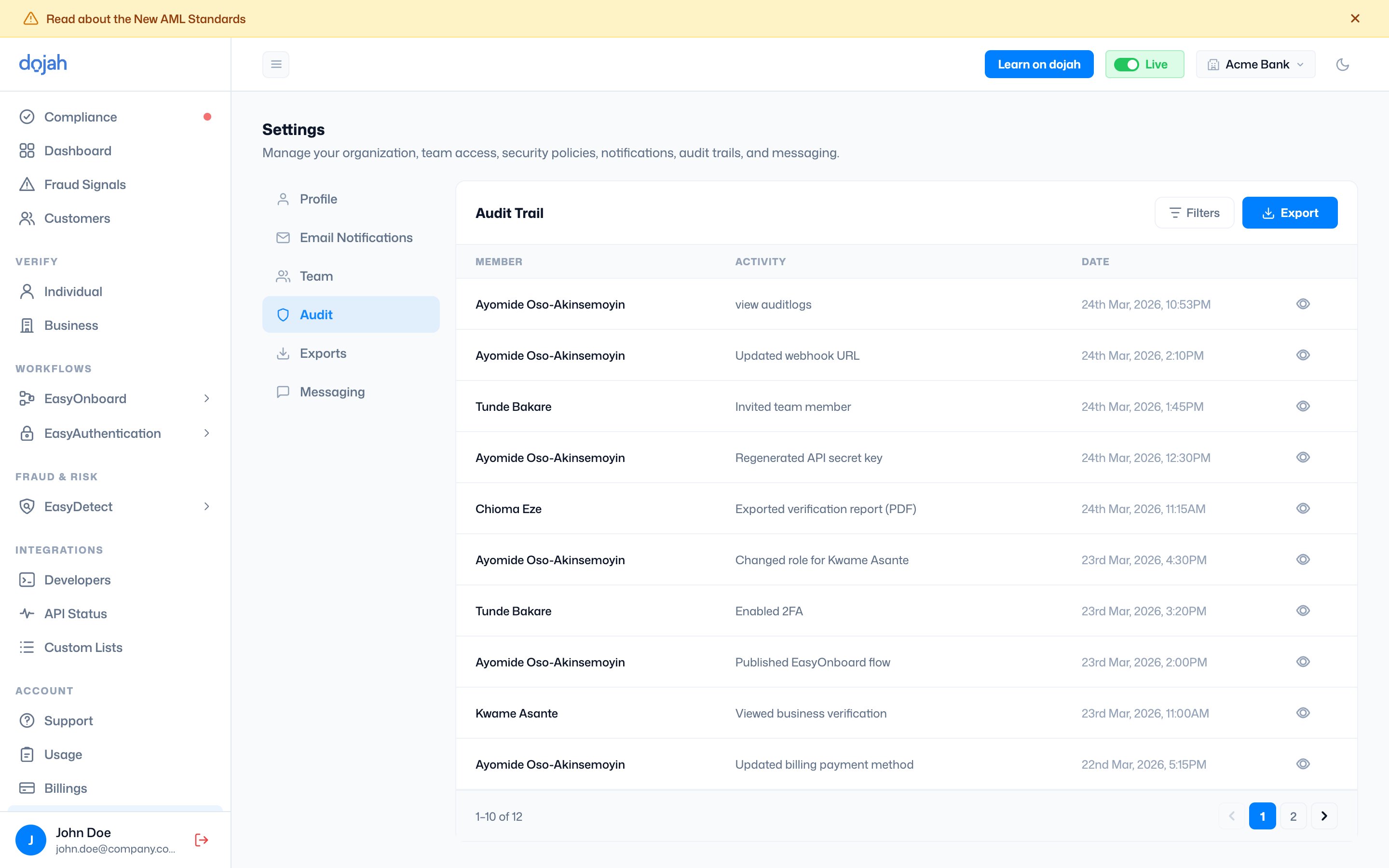
Reading the audit log
Each row in the audit trail shows three pieces of information: Member: the name of the team member who performed the action. Activity: what they did. Examples include Login, View Dashboard, View Profile, View Teams, Create Permission, Delete Permission, View EasyDetect, and many others covering every significant action available on the platform. Date: the exact date and time the action was recorded. Click the eye icon on any row to open the full audit log detail for that event. The detail view shows:- Company: the workspace the action was performed in
- Action: the specific action type
- OS: the operating system of the device used
- Model: the device model where available
- Browser: the browser used to perform the action
- IP address: the IP address from which the action was made
- Name and Email: the team memberβs full identity
- Time Created and Time Updated: precise timestamps

